Local SEO for Service-Area Businesses
Learn how service-area businesses can improve local search visibility with nine practical steps, from Google Business Profile setup and service areas to useful pages, reviews, and tracking.

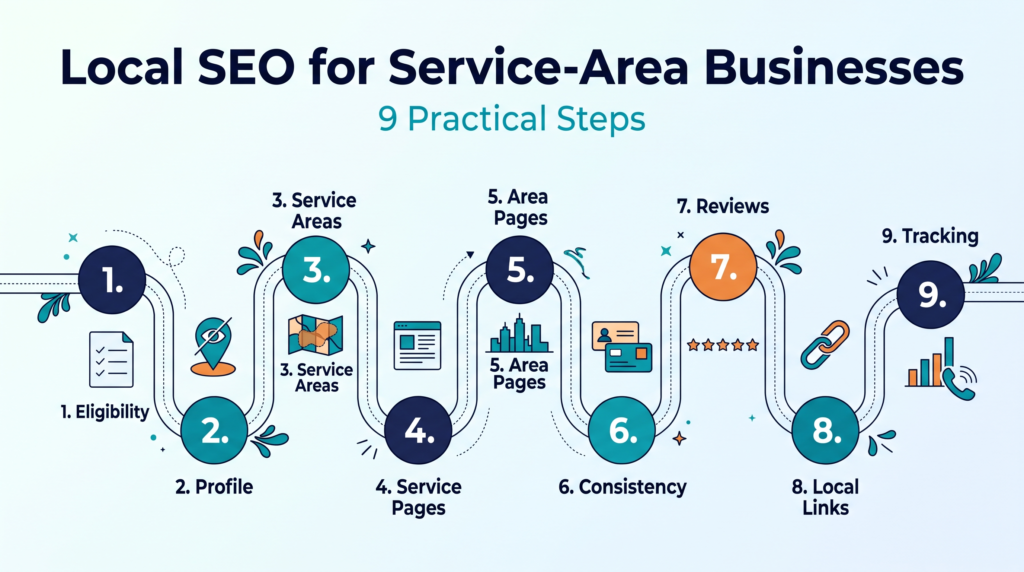
Local SEO for Service-Area Businesses means helping plumbers, electricians, cleaners, mobile groomers, and similar companies appear in Google Search and Maps for the places they serve, even without a storefront. This guide covers nine practical steps. I work in Local SEO and Google Business Profile optimization, so each step stays close to Google’s own rules and avoids shortcuts that put a profile at risk.
TL;DR: A service-area business should hide its address, choose realistic service areas, build useful service pages, keep business details consistent, collect honest reviews, and measure real leads. Google keeps its ranking details confidential, so no step guarantees a position.
What Is Local SEO for Service-Area Businesses?
Local SEO for service-area businesses is the work of making a travel-to-customer company visible in local search results for the places it serves. Customers rarely visit an office, so visibility depends on the Business Profile, the website, and trust signals rather than foot traffic. If local search is new to you, read how local SEO works first.
Service-Area Business vs. Hybrid Business
A service-area business visits or delivers to customers and does not serve them at its own address, while a hybrid business does both. Google gives cleaning services and plumbers as examples of the first type, and a dine-in restaurant that also delivers as an example of the second, according to its service area help page. A business without permanent on-site signage does not qualify as a storefront and should list itself as a service-area business.
Why Distance, Relevance, and Prominence Work Differently Without a Storefront
Google says local results rely mainly on relevance, distance, and prominence, and no one can pay for a better local ranking. Its local ranking guidance explains each factor. You cannot change how far you are from a searcher, so in practice the work centers on relevance and prominence: accurate categories, helpful pages, and genuine reviews. For more detail, see these local pack ranking factors.
How Service-Area Business SEO Differs From Storefront SEO
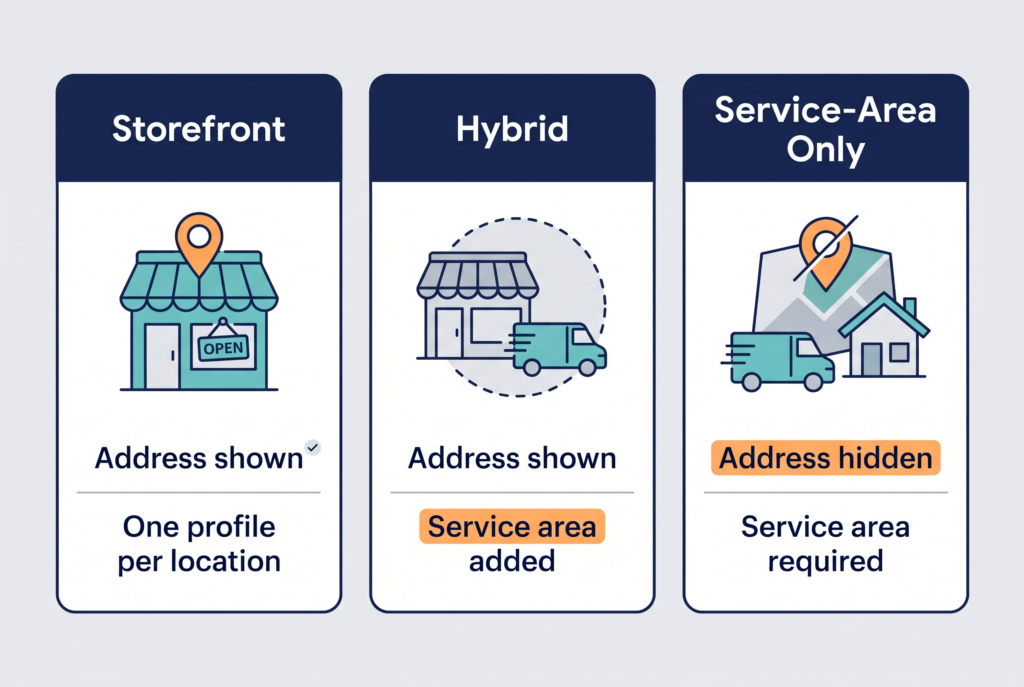
Service-area businesses differ from storefront businesses mainly in what the profile shows: the address is hidden and the service area replaces it. The table compares the three models using Google’s guidelines.
| Model | Address on profile | Service area | Profiles allowed | Typical SEO focus |
| Storefront | Shown, with signage | Optional | One per location | Standing out against nearby shops |
| Hybrid | Shown, staffed | Added | One per location | Keeping address and service area accurate |
| Service-area only | Hidden | Required | One for the whole area | Proving relevance without an address |
Local SEO for Service-Area Businesses: 9 Practical Steps
These nine steps cover the setup, pages, proof, and tracking a service-area business needs, in a sensible order. Start with Steps 1 to 3, because mistakes there can limit everything that follows.
Step 1: Confirm Your Business Model and Eligibility
Confirm first whether customers visit your address or you travel to them, because that answer decides how your profile is set up. If you work from a home, office, or vehicle and meet customers at their locations, you are a service-area business. If you also receive customers at a staffed location with permanent signage, you are a hybrid business. Read Google’s guidelines for representing your business before you create or edit anything.
Step 2: Set Up Your Google Business Profile Correctly
Set up your profile as a service-area business, hide your address, and describe the business as customers know it. If you do not have a profile yet, learn how to create and verify a Google Business Profile.
Hide Your Address When You Have No Storefront
Hide your address if customers do not visit it. Google says a plumber who runs the business from a residential address should clear that address from the profile. A rented virtual office is not eligible, and remote mailboxes and P.O. boxes are not acceptable addresses. Google also asks for one profile per business, because duplicates can cause display problems. All of this appears in its representation guidelines.
Choose Accurate Categories and Complete Your Services
Choose the fewest, most specific categories that describe your core business. Google advises picking categories that say what the business is, not a list of everything it offers. Then add each service, a clear description, and real photos of your team, vehicles, and finished work. When the basics are done, work through this Google Business Profile optimization checklist.
Step 3: Choose Realistic Service Areas
Choose the cities, postal codes, or areas you can reach reliably, up to a limit of 20. Google says the overall area should not extend more than about 2 hours of driving time from where you are based, and it asks you to be specific and accurate. You also cannot set a radius around your business, so you name each city, postal code, or area. Treat the list as honest information for customers, not a trick to appear in distant cities. The details are on Google’s service area page.
Step 4: Build Useful Service Pages
Create one useful page for each core service, and add LocalBusiness structured data only for facts visible on the page. A heating company, for example, might need separate pages for AC repair, furnace repair, installation, and maintenance. Each page should explain what the service includes, who it suits, where it is available, and how to request help. Structured data lets you tell Google about details such as business hours, and the Rich Results Test can check your markup, according to Google Search Central. Markup clarifies a page, but it cannot rescue weak content.
Step 5: Create Service Area Pages Only When They Add Value
Create a service area page only when you can fill it with details that are true and useful for that place. Include real availability, travel boundaries, local constraints such as permits or climate, response expectations, and projects you completed there.
When Not to Build a City Page
Do not build a city page when it would repeat another page with only the place name changed. Google’s spam policies list pages targeted at specific regions or cities that funnel users to one page, and substantially similar pages, as doorway abuse. Three strong pages usually serve readers better than eighty near-identical ones.

Step 6: Keep Business Information Consistent Without a Public Address
Keep your business name, phone number, website, and service-area treatment identical everywhere customers might find them. Maintain one record of these details and update every listing when something changes. For a fix-first method, read this guide to local citations and NAP consistency, and follow each directory’s rules for hiding or showing an address.
Step 7: Build an Honest Review Process
Ask every customer for an honest review after the job, and never offer rewards for it. Google treats incentives such as discounts or free service in exchange for reviews as fake engagement and prohibits them. You can share a Google review link or QR code and reply to reviews politely, as Google’s review help page explains. Google also says review count and score factor into local ranking. For a safe routine, see how to get more Google reviews the safe way.
Step 8: Earn Local Links and Mentions
Earn links and mentions from organizations that know your business, such as local chambers, suppliers, and community groups. Google says prominence also draws on information from across the web, such as links, articles, and directories. Avoid buying bulk directory links or unrelated guest posts, which add noise instead of credibility.
Step 9: Track Calls, Forms, and Local Visibility
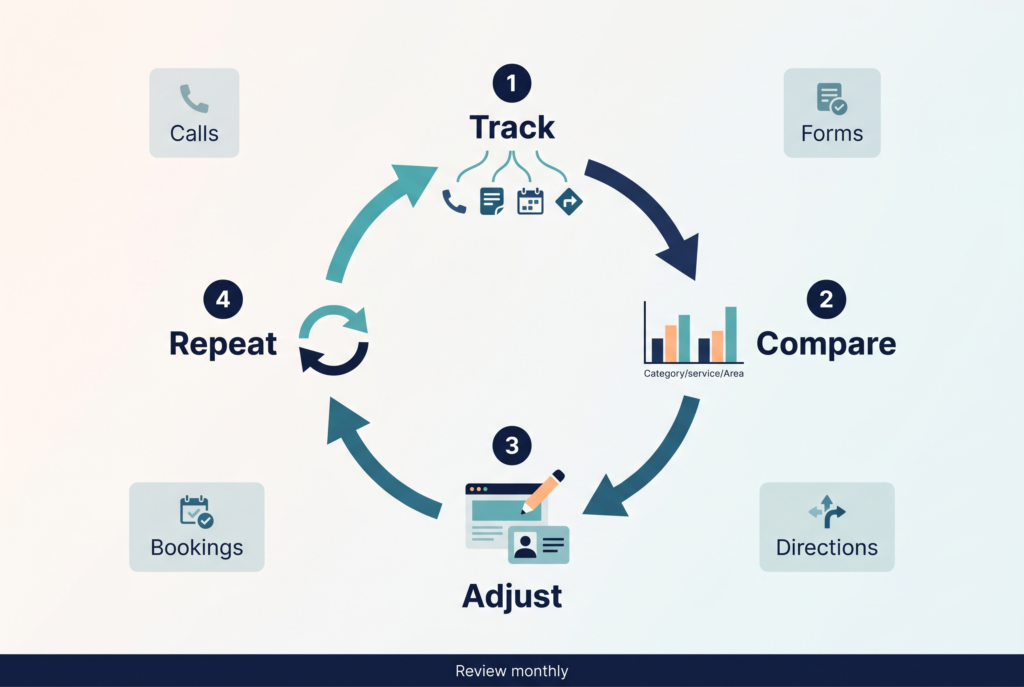
Track calls, form submissions, booking requests, and direction requests, because rankings alone do not show whether the work brings customers. Review Google Business Profile performance next to website analytics and Google Search Console each month. Compare which services and areas produce real jobs, then adjust pages and profile details based on that evidence.
Which Steps Should a Service-Area Business Do First?
Do Steps 1 to 3 first, because they set the foundation: eligibility, a correct profile, and honest service areas. Next, build service pages (Step 4), fix consistency (Step 6), and start asking for reviews (Step 7), since reviews take time to collect. Add city pages (Step 5), links (Step 8), and monthly tracking (Step 9) once the basics hold. For a broader list that fits any small business, see this local SEO checklist for small businesses.
Common Mistakes in Local SEO for Service-Area Businesses
The most common mistakes are showing a private address, using a virtual office, and publishing near-identical city pages.
Publishing a Home Address, Mailbox, or Virtual Office
Publishing an address that customers should not visit conflicts with Google’s guidelines. Google tells service-area businesses to hide the address, rejects remote mailboxes, and says an unstaffed virtual office is not eligible. Borrowing an address in another city does not make a business local there.
Copying One Page for Every City
Copying one page and swapping the city name creates thin pages that may fall under Google’s doorway abuse policy. Start with the places that matter most, then expand only when you can support each page with real information.
What These Steps Cannot Promise
These steps cannot promise rankings, traffic, or leads. Google says no one can pay for a better local ranking, and it keeps algorithm details confidential. Competition, distance to the searcher, and your starting point all affect results. Google also updates its rules, and these pages were checked in October 2026, so review the current Business Profile guidelines before changing a profile.
Conclusion
A service-area business earns local visibility by being accurate first and persuasive second. Confirm eligibility, hide the address, choose realistic areas, build useful pages, keep details consistent, ask for honest reviews, and measure real leads. If you want help applying these steps to your own profile and website, you can explore my local SEO service.
Frequently Asked Questions
1. What is a service-area business on Google Business Profile?
A service-area business visits or delivers to customers directly and does not serve them at its own address. Cleaning services and plumbers are Google’s examples. Google allows one profile for the whole area served.
2. Do service-area businesses have to hide their address?
Yes, if customers do not visit the address. Google says a plumber working from a residential address should clear it from the profile.
3. How many service areas can I add to my profile?
You can add up to 20 service areas. Use cities, postal codes, or other areas, and keep the overall area within about 2 hours of driving from where you are based.
4. Can a service-area business rank outside its home city?
Possibly, but no one can promise it. Google says distance from the searcher is one of three main local factors, so competitors closer to the searcher have an advantage on that factor.
5. Do I need a separate page for every city I serve?
No. Create a page only when you can add true, distinct details for that place. Near-identical city pages risk falling under Google’s doorway abuse policy.
6. Do I still need citations if my address is private?
Consistent listings are still useful. Keep the name, phone number, and website identical across listings.
7. How much do reviews matter for a service-area business?
Reviews matter because Google says review count and score factor into local ranking. Ask honest customers consistently, reply politely, and never offer rewards.
8. Can I use a P.O. box or virtual office as my address?
No. Google rejects P.O. boxes and remote mailboxes, and a rented virtual office that is not staffed during business hours is not eligible.
9. Can I list a whole state or country as my service area?
Google asks for specific, accurate service areas, so a whole state or country is a poor fit. Name the cities, postal codes, or areas you can reach within about 2 hours of driving.
10. How often should I review my local SEO setup?
Review it at least quarterly, and update details whenever something changes. Check hours, services, categories, reviews, pages, and lead tracking. Monthly checks catch problems.