Website Structure for SEO: How to Plan, Build, and Audit It
Learn how to plan, build, and audit website structure for SEO, with clear steps for hierarchy, URLs, navigation, internal links, and orphan pages.


Website structure for SEO is the way you organize pages, URLs, menus, and links so that visitors and search engines can understand what your site covers and find every important page. A clear structure helps people reach the right page faster. It also gives Google crawlable paths between related pages. This guide shows how to plan, build, and audit your structure step by step, and where common advice falls short.
A good structure groups pages by topic, keeps important pages close to the homepage, and connects pages with crawlable links. Use the steps below to plan the hierarchy, clean up URLs and menus, and audit what you already have.
What Is Website Structure for SEO?
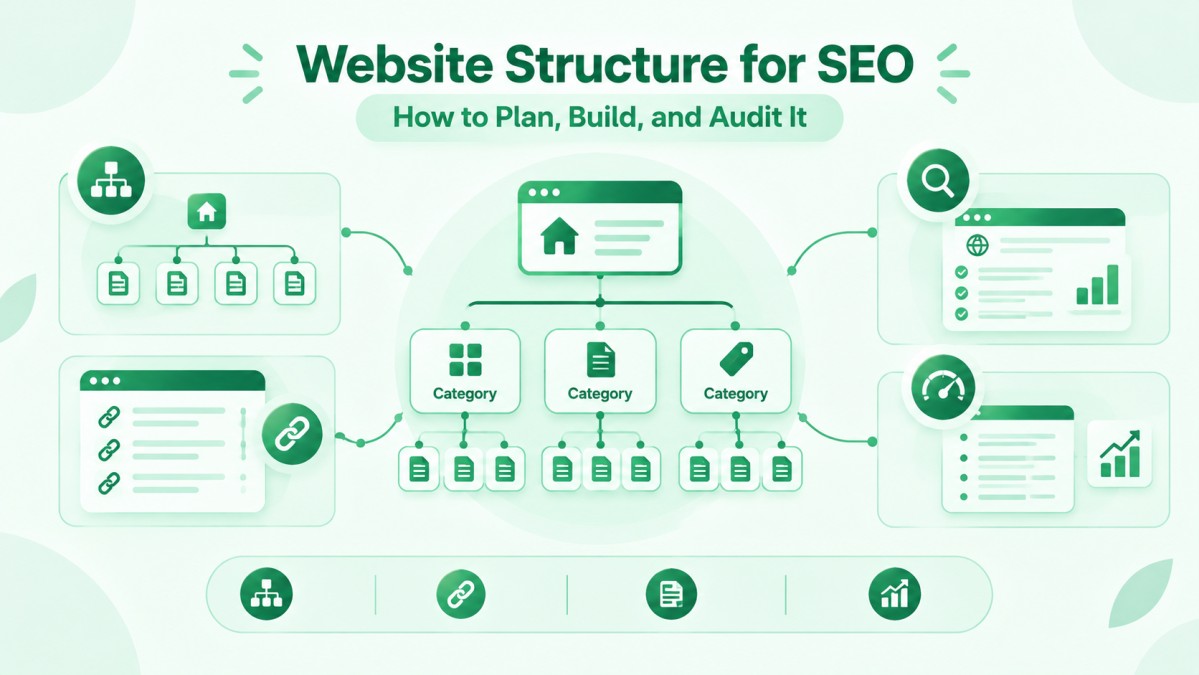
Website structure for SEO is the way a site arranges its pages into a clear hierarchy, supported by URLs, navigation, and internal links. Think of it as the floor plan of a building. Each room is a page, each hallway is a link, and visitors should find what they need without asking for directions.
Search engines walk the same hallways. Google explains that it finds other pages on your site through the links on the pages it already knows, so every important page needs a clear path to it (Google Search Central). From my work on website structure and topical maps, I treat structure as a planning task first and a design task second.
Website structure vs architecture vs navigation
In SEO, “structure” and “architecture” usually mean the same thing, while navigation is one part of the structure. Structure describes how pages are grouped, named, and linked. Navigation describes the menus and links visitors click to move around.
URLs, breadcrumbs, and internal links are the other working parts. Design choices and technical choices overlap here, so the web design and architecture guides on this site are a useful companion to this article.
Why structure matters for users and crawlers
A clear structure helps visitors find pages faster and helps crawlers discover and group related pages. Visitors who understand where they are on a site tend to keep exploring instead of leaving.
Crawlers follow links from known pages to new ones, so your linking choices decide which pages get found easily. Structure also shows which topics you cover and how those topics relate. A site that groups its pages by subject is easier for both people and machines to read.
Is website structure a direct ranking factor?
I could not find a Google statement that names website structure as a single direct ranking factor, but structure affects crawling, discovery, and user experience. Treat it as a foundation, not a shortcut.
One related signal is click depth. In a 2018 Webmaster Central hangout reported by Search Engine Journal, John Mueller said that the number of clicks needed to reach a page from the homepage matters more than the number of slashes in its URL (Search Engine Journal). That is a comment from one hangout, not a published rule, so use it as a hint rather than a guarantee.
Which Website Structure Type Should You Choose?
Most websites should use a hierarchical structure and add other types only for specific needs. The type you choose shapes how visitors move through the site and how pages relate to each other.
Hierarchical structure
A hierarchical structure arranges pages in levels, from the homepage down to categories and then to individual pages. Many guides call this a pyramid.
A plumbing company might use Home, then Services, then Drain Cleaning. A blog might use Home, then Blog, then a topic category, then a post. Each level narrows the topic, so visitors always know what sits above and below the page they are on. This pattern fits business sites, blogs, and online stores.
Sequential, matrix, and database structures
Sequential structures guide visitors through pages in a fixed order, matrix structures let visitors choose their own path, and database structures generate pages from stored data.
A checkout flow or an online course uses a sequential structure. A large resource library with several ways to browse behaves like a matrix. A directory, job board, or property listing site is usually database-driven. Small business sites rarely need these types as their main structure, but parts of larger sites often use them inside a hierarchy.
Flat vs deep structure, and the limits of the 3-click rule
A flat structure keeps pages close to the homepage, a deep structure uses many levels, and neither is best for every site. Small sites tend to work well with fewer levels. Large catalogs need more levels to stay organized.
The 3-click rule says every page should be reachable within three clicks. It is a popular usability guideline, and I did not find Google documentation that sets it as a requirement. Large sites cannot fit every page within three clicks, so they use categories, search, and strong internal links instead. A better goal is to keep your most important pages close to the homepage and let supporting pages sit deeper.
Silo and topic cluster structure
A silo or topic cluster groups related pages around one main topic and links them to each other. The main page, often called a pillar page, covers the topic broadly. Supporting pages cover narrower questions and link back to the pillar.
This pattern makes topic coverage easy to see and easy to extend. The idea connects closely to topical authority, an SEO concept about how fully a site covers a subject. Do not wall silos off from each other. Add links between clusters when a visitor would benefit from the jump.
How to Plan Website Structure for SEO Step by Step
Plan your structure in four steps: research search intent, group pages by topic, give each page one purpose, and sketch the hierarchy before you build. Doing this on paper first is faster and cheaper than rebuilding a live site.
Start with keyword research and search intent
Start by listing the searches your audience makes and what they want from each one, because every page should match one search intent. Search intent is the task behind a query, such as learning something, comparing options, or hiring a provider.
A search like “emergency plumber near me” calls for a service page. A search like “how to stop a leaking tap” calls for a guide. Group queries by intent and topic, and avoid creating a separate page for every synonym. If you want a repeatable way to move from keywords to briefs, read about content strategy and briefs.
Group pages into main categories and subtopics
Group pages by shared topic, and name each group with words your audience actually uses. Write every planned page on a list, then sort the pages into a small number of main categories. Each main category can hold subtopics, and each subtopic can hold individual pages.
A topical map is a planning document that lists the topics a site should cover and how they relate. It is the working tool I use for this step. If you want help building one, see my topical map planning service, which is a commercial offer.
Give each page one primary topic
Each page should have one primary topic and one main search intent, so your own pages do not compete with each other. When two pages answer the same question, visitors do not know which to read, and your internal links are split between them.
This problem is often called keyword cannibalization. Fix it by merging overlapping pages, or by rewriting them so each one has a clearly different purpose.
Sketch the hierarchy before you build
Sketch the hierarchy in a spreadsheet or on paper, listing every page, its parent page, and its planned URL. A simple outline for a small service business might look like this:
- Home
- Services
- Service A
- Service B
- Blog
- Topic category
- About
- Contact
- Services
Review the sketch with one question in mind: can a new visitor find the page they want within a few clicks? If not, move pages up, merge them, or add links.
How to Build a Clean URL Structure
A clean URL structure uses short, readable, lowercase words that mirror your page hierarchy. URLs are the addresses of your pages, and visitors often see them in search results and shared links.
Keep URLs short and readable
Use simple words separated by hyphens, and avoid long ID numbers and unnecessary parameters. Google recommends readable words over long ID numbers, and it recommends hyphens over underscores to separate words (Google Search Central).
A URL such as /services/local-seo/ tells a visitor what to expect. A URL such as /page.php?id=8841 tells them nothing. Keep letters lowercase, because URLs can be case sensitive and mixed cases create duplicate addresses.
Match URLs to your hierarchy
Folders in a URL should reflect parent and child relationships, but only where that helps visitors. A service page under /services/ and a post under /blog/ is a clear pattern.
Do not force deep folders for the sake of looks. Mueller’s reported comment suggests that slash count matters less than click depth, so a tidy two-level URL that is hard to reach is worse than a simple URL that is well linked. Avoid patterns such as year and month folders when they add nothing for readers.
Change URLs safely with redirects
If you must change a URL, use a 301 redirect from the old address to the new one, and update every internal link that pointed to the old address. A 301 redirect tells browsers and search engines that a page has moved permanently.
Only change URLs when there is a real reason, such as a redesign or a broken pattern. Avoid redirect chains, where one redirect leads to another, because they slow down visitors and crawlers. Keep your sitemap and canonical tags in line with the new addresses.
How to Design Website Navigation
Good navigation shows the most important pages first, uses clear labels, and works on every device. Navigation is where your planned hierarchy becomes visible to visitors.
Header menu: how many items to use
Keep the header menu short enough that a visitor can scan it at a glance. Some SEO and design sources suggest roughly 5 to 9 main items. Treat that as a usability guideline, not a Google rule.
Use labels that say what the page is, such as “Services” or “Pricing”, instead of vague terms. Put your main service or product categories in the menu, and move secondary pages into the footer or into a dropdown.
Footer links
Use the footer for secondary pages such as contact details, policies, and key resources, not for a long block of keyword links. Visitors expect to find legal pages, contact information, and sometimes a short list of top pages there.
For local businesses, the footer is also a natural place for the business name, address, and phone number. Keep them identical to the details on your contact page and your Google Business Profile.
Mobile navigation
On mobile, use a simple menu with large tap targets and a visible way to search, so visitors can reach key pages quickly. A hamburger menu is fine when it is clearly labeled.
Make sure the mobile menu contains the same important links as the desktop menu. Test it on a real phone, because menus that look fine in a desktop browser can be awkward to use with a thumb.
Dropdowns and crawlable links
Dropdowns work for SEO when every item is a real link that Google can crawl. Google states that it can generally crawl a link only when it is an anchor element with an href attribute (Google Search Central).
Menu items built only with JavaScript click handlers may not be followed. If your menu is built with JavaScript, use the URL Inspection tool in Google Search Console to check the rendered page and confirm that the links are present.
How to Use Breadcrumbs
Breadcrumbs are a trail of links, such as Home > Services > Local SEO, that show where a page sits in your hierarchy. They help visitors move up one level without using the main menu.
Google uses breadcrumb markup to categorize page information in search results, and it documents BreadcrumbList structured data for this purpose (Google Search Central). Add visible breadcrumbs first, make each parent a clickable link, and then add matching structured data. Test a few pages with the URL Inspection tool.
Breadcrumbs support your navigation but do not replace it. Display them on deeper pages, such as category, service, and post pages, and keep the trail consistent with your URLs and hierarchy.
How to Build Internal Linking Inside the Structure
Internal linking connects pages across your hierarchy so visitors and crawlers can move between related content. Menus link the main pages. Internal links inside content link everything else.
Contextual links
Contextual links are links placed inside body text that point to closely related pages. A blog post can link to the service page it supports, and that service page can link back to helpful guides.
Add a link only where it helps the reader take a next step. Google also advises against chaining several links next to each other, because readers cannot tell them apart and each link loses its surrounding text.
Descriptive anchor text
Descriptive anchor text tells readers and Google what the linked page is about. Google describes good anchor text as “descriptive, reasonably concise” and relevant to both pages.
Avoid anchors such as “click here” or “read more”. Also avoid stuffing exact keywords into every anchor. Write the anchor the way you would describe the destination to a friend, and vary the wording naturally.
Find and fix orphan pages
An orphan page is a page that has no internal links pointing to it. Visitors cannot reach it by clicking, and crawlers have a harder time finding it.
Find orphan pages by comparing a crawl of your site with the page list in your CMS or your XML sitemap. Any page that appears in the list but not in the crawl deserves attention. Link it from a relevant parent page, or redirect or remove it if it is outdated.
Website Structure Examples by Site Type
The right structure depends on what the site offers and how people search for it. The examples below are illustrative patterns, not case studies.
Local service business website
A local service site works well with a homepage, one page per service, one page per service area, and a set of supporting guides. For example, Services can hold Drain Cleaning and Water Heater Repair, and Service Areas can hold one page for each city served.
Link each service page to the related area pages and to guides that answer common questions. Keep business details consistent across the site and your Google Business Profile. For sector patterns, see these notes on home services and contractor websites.
Ecommerce website
An ecommerce site usually needs a category-led hierarchy: homepage, categories, subcategories, and then product pages. Shoppers browse by category, so category pages carry much of the structure.
Filters and sorting options can create very large numbers of URLs. Google lists irrelevant and problematic URL parameters among the common causes of excess URLs, so decide which filtered pages deserve to be crawled and which do not. More background is available in this overview of e-commerce business websites.
Small business brochure website
A small brochure site can stay flat, with a homepage, a few core pages, and a blog or resources section. A typical set is Home, About, Services, Contact, and Blog.
Do not add layers just to look organized. Add new pages when you have a real topic to cover, and link each new page from a relevant existing page. A flat structure is easy to maintain and easy for visitors to understand.
Common Website Structure Mistakes
The most common mistakes are burying key pages, creating overlapping pages, and overloading menus. Each one makes the site harder to use and harder to crawl.
Burying important pages
Important pages should be linked from the homepage or a main category page, not hidden many clicks away. A service page that you want to sell should never depend on a single link at the bottom of an old blog post.
Review which pages bring in leads or sales, and make sure they are easy to reach from the main menu and from related pages.
Overlapping pages that compete
Overlapping pages target the same topic and intent, which confuses visitors and splits internal links. Common examples are two service pages with nearly the same content, or several blog posts answering the same question.
Merge them into one stronger page and redirect the old addresses, or rewrite each page so it serves a different need.
Menus with too many choices
A menu with too many choices makes visitors hesitate and hides your priorities. When everything is in the menu, nothing stands out.
Group related items under clear labels, move low-priority pages to the footer, and keep the main menu focused on the pages that matter most to your audience.
How to Audit Website Structure for SEO
To audit website structure for SEO, crawl the site, map page depth, find orphan and broken pages, and compare each section with search intent. Run this check on any existing site before changing menus or URLs.
For a wider checklist beyond structure, see these technical SEO and audit guides.
Crawl the site and map its depth
Use a site crawler to list every reachable URL and its click depth from the homepage. Tools such as Screaming Frog can export this data into a spreadsheet.
Sort the list by depth and by folder. Look for important pages that sit deep in the site, for folders with very few pages, and for URL patterns that do not match your hierarchy.
Check orphan pages, broken links, and redirects
Compare the crawl with your sitemap and CMS page list, then fix orphan pages, broken internal links, and redirect chains. Each of these problems stops visitors or crawlers from reaching a page cleanly.
Update internal links so they point straight to the final URL instead of passing through a redirect. Replace or remove links that return errors. Google Search Console can also show crawl and indexing issues that your crawler may not reveal.
Compare structure with search intent
Check each main page against the search intent it targets, then merge, split, or relink pages that do not match. Open the Performance report in Search Console and review which queries lead to each page.
If a page receives queries it was never written to answer, you may need a new page or a clearer link path. If two pages receive the same queries, they probably overlap. Write down every change before you make it, so you can compare results later.
Limits of Website Structure Advice
Website structure advice has limits, because no structure can fix weak content or guarantee rankings. Structure helps pages get found and understood, but the pages still need to be useful.
Many popular rules, such as the 3-click rule and the 5 to 9 menu item range, are practical guidelines from SEO and design practice, not Google requirements. Sources also disagree on details. The examples in this guide are patterns, not proven formulas, and every site has its own audience, size, and technical setup. Test changes on your own site, record what you changed, and give search engines time to recrawl.
Conclusion
A strong site starts with the visitor’s path, then connects that path with clear URLs, honest menus, and crawlable links. Plan the hierarchy before you build, give every page one purpose, keep important pages close to the homepage, and audit the result on a regular schedule.
If you want help planning or reviewing your structure, you can learn about my website SEO service. It is a commercial service, and the page is written for businesses working with me from Oman.
FAQs
What is website structure in SEO?
Website structure in SEO is how a site organizes its pages, URLs, menus, and internal links into a clear hierarchy. A good structure helps visitors find content and helps search engines crawl and understand how pages relate to each other.
Is website structure the same as website architecture?
In most SEO guides, the two terms mean the same thing. Both describe how pages are grouped and linked. Some designers use “architecture” for the technical setup and “structure” for the page layout, so check how a source defines the term.
How many pages should be in a main menu?
There is no official number, but many sources suggest about 5 to 9 main items. Choose the pages that matter most to your visitors, and move secondary pages into the footer or a dropdown.
Is the 3-click rule a Google rule?
No, I found no Google documentation that sets the 3-click rule. It is a usability guideline. Keeping important pages close to the homepage is still a sensible goal, but large sites cannot place every page within three clicks.
Should I use a flat or a deep structure?
Use a flat structure for small sites and a deeper structure for large catalogs or content libraries. Pick the fewest levels that still keep your content organized, and link important pages from higher levels.
Do breadcrumbs help SEO?
Breadcrumbs help visitors navigate and show how a page fits into your hierarchy. Google documents BreadcrumbList markup and uses breadcrumb information in search results, but breadcrumbs alone do not guarantee better rankings.
How should I structure URLs?
Structure URLs with short, lowercase, descriptive words separated by hyphens. Match the folders to your hierarchy where it helps, avoid long ID numbers and extra parameters, and keep the pattern consistent across the site.
What is an orphan page?
An orphan page is a page with no internal links pointing to it. Visitors cannot click their way to it, and crawlers may miss it. Fix orphan pages by adding relevant internal links, or by removing or redirecting outdated pages.
How often should I audit my site structure?
Audit your site structure at least once a year, and after any redesign, migration, or large content change. Sites that publish often may benefit from a lighter check every few months. This is a practical habit, not a Google requirement.
Can I change my structure without losing traffic?
You can reduce the risk by planning the change, mapping old URLs to new ones with 301 redirects, and updating internal links. Some short-term movement is possible, so make changes in stages and monitor Search Console.