SEO Blog Post Structure That Ranks: A Practical 9-Step Guide
A practical guide to SEO blog post structure. Learn the nine parts of a post, how long it should be, a copyable template, a checklist, and a safe AI prompt.

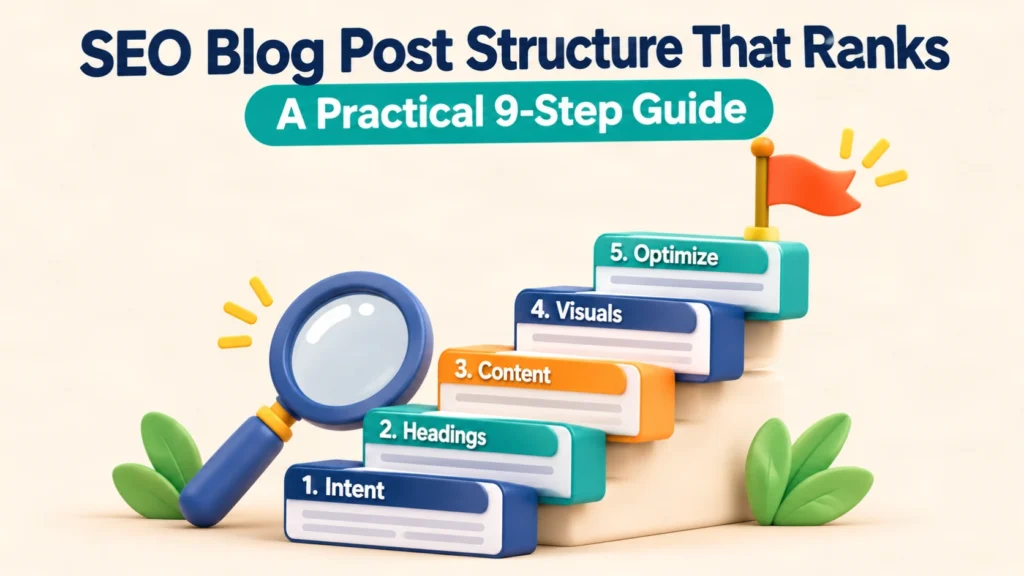
A strong SEO blog post structure matches the search intent, answers the question in the first lines, and uses clear headings, short sections, and honest sources. No layout guarantees rankings. Structure simply makes a good post easier to find, read, and trust.
An SEO blog post structure is the order of headings, answers, visuals, links, and metadata that helps both readers and search engines understand one page. This guide shows nine steps, a template, a checklist, and an AI prompt. It also covers blog length, guest posting, and the limits of every tactic here.
What Is an SEO Blog Post, and What Does the Term Mean?
An SEO blog post is a blog article written to answer a specific search query clearly, while following basic search best practices. It is also called an SEO blog article, SEO blog content, or an SEO-optimized or SEO-friendly blog post.
The meaning is simple. “SEO” is search engine optimization. The post is planned around what a searcher wants, then written, structured, and published so search engines can crawl and understand it.
An SEO blog post is not a keyword list in sentence form. Google says it recommends you “focus on creating people-first content to be successful with Google Search”, according to its helpful content guidance. That idea shapes every step below. google
A typical SEO blog post has one main topic, one primary keyword, a clear answer, supporting sections, and a next step for the reader. If you want the wider topic strategy behind a single post, read about semantic SEO.
Why SEO Blog Post Structure Matters for Rankings and Readers
Structure matters because readers scan before they read, and search systems use headings and page signals to understand a page. A messy post loses people early, which wastes the effort of writing it.
Google describes how it builds a result title from several sources. Those include the title element, the main visible title, and heading elements such as H1, according to its title link documentation. Clean headings therefore help in more than one place.
Structure also supports blog value overall. A blog helps SEO when each post targets a real need, links to related pages, and earns trust. A blog does not help when it publishes thin posts with no purpose.
I treat structure as a promise. Each heading promises an answer, and the paragraph under it must deliver that answer within the first sentence. That habit improves clarity for people, and it also makes passages easier for answer engines to reuse. No one can promise that outcome, though.
How Does SEO Blog Post Structure Work? The 9-Part Blueprint
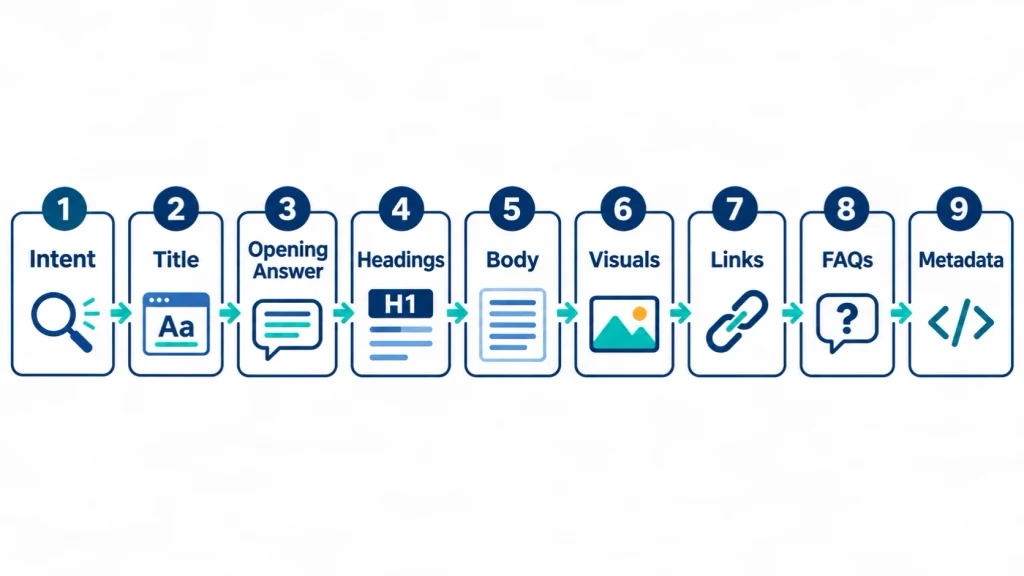
SEO blog post structure works by moving the reader through nine parts: intent, title, opening answer, headings, body, visuals, links, closing sections, and metadata. Each part has a job, and skipping one usually weakens the page.
| Part | Job | What good looks like |
|---|---|---|
| 1. Search intent | Decide what the reader wants | One clear task per post |
| 2. Title and H1 | Promise the topic | Primary keyword, plain wording |
| 3. Opening answer | Answer fast | Direct answer in the first 100 words |
| 4. Headings | Guide scanning | Logical H2 and H3 levels |
| 5. Body | Prove and explain | Answer first, then detail |
| 6. Visuals and tables | Clarify | Only where they add meaning |
| 7. Links | Connect and support | Relevant internal and source links |
| 8. Conclusion and FAQs | Close the topic | Next step plus distinct questions |
| 9. Metadata | Describe the page | Title, description, slug, alt text |
The next nine sections walk through each part. Treat the table as a map, not a rule that every post needs every element.
Step 1: Define the Search Intent First
Search intent is the task the searcher wants to finish, and you must define it before writing a single heading. Most blog queries fall into four groups: learn something, compare options, do a task, or find a specific page.
For this topic, the main intent is “learn and do.” People want a layout they can copy. So the post needs a definition, a blueprint, a template, and a checklist, not only theory.
Write one sentence before drafting: “This reader wants to ___ so they can ___.” If you cannot fill it in, the post is not ready. Planning topics this way is the core of good content strategy and briefs.
Step 2: Write a Clear Title and H1
A good SEO title names the topic in plain words, places the primary keyword near the start, and stays distinct from every other page on your site. Google advises descriptive, concise titles and warns against vague labels.
Its title guidance gives this example of what to avoid: vague descriptors like “Home” or “Profile”. The same logic applies to blog posts. “Tips and Tricks” tells nobody anything. google
Keep the H1 and the title consistent. They can differ slightly, but they should describe the same page. Avoid stuffing repeated keywords into either one.
Step 3: Open With a Direct Answer
The opening paragraph should answer the main question in two or three sentences and include the primary keyword naturally. Skip long scene-setting. A reader who searched a question wants the answer first.
A reliable pattern: define the topic, state the key point, and say what the post covers. The opening of this guide follows that pattern.
Place the keyword in the first 100 words if it reads naturally. If it feels forced, rewrite the sentence instead. Readability beats placement rules.
Step 4: Build Headings That Match Questions
Headings should mirror the questions readers ask, using one H1, descriptive H2s, and H3s only when a section has real sub-answers. Think of headings as the table of contents for the page.
Use these quick rules:
- Write about one H2 for every 250 to 400 words of body copy.
- Phrase some headings as questions, since searchers type questions.
- Keep a logical order: H1, then H2, then H3. Do not jump levels.
- Avoid repeating the same heading text on one page.
- Put the exact primary keyword in two or three relevant H2s, not all of them.
Headings also set up a table of contents, which helps long posts. Short paragraphs of one idea each keep the page easy on mobile.
Step 5: Write the Body Answer-First
Answer-first writing means each section opens with a direct answer, then adds steps, evidence, examples, and limits. This helps skimmers and keeps every paragraph useful if read alone.
Name the subject instead of leaning on “it” or “this.” A paragraph pulled out of context should still make sense. That habit helps human readers and also helps any system that quotes passages.
Keep language simple. Use short sentences and plain words. Explain a technical term the first time it appears. This is why readability tools often reward the same habits that people like.
Step 6: Add Visuals, Tables, and Lists That Earn Their Place
Use a visual, table, or list only when it explains something faster than prose. A comparison table helps when there are alternatives. A numbered list helps when order matters.
Three images are enough for most posts: one concept visual, one process diagram, and one real example or comparison. Describe each image in alt text, and use the primary keyword only if it truly fits the image.
Avoid decoration. An image that adds no meaning adds only page weight.

Step 7: Link to Relevant Pages and Real Sources
Add internal links where they help the reader take a next step, and add external links where a claim needs a source. Both kinds of links work best when the anchor text describes the destination.
For example, a reader who wants a full plan can explore a topical map service. A reader who wants help producing the pages can see an SEO content writing service.
Link to primary or official sources for important claims. Do not link to a source you have not opened. Do not add links only to look authoritative. Also avoid linking the same URL twice.
Step 8: Close With a Conclusion and Distinct FAQs
End the post with a short conclusion and a set of FAQs that answer questions the body did not already cover. FAQs should add new value, not repeat earlier paragraphs.
Pick FAQs from real questions: what readers ask in comments, emails, and search suggestions. Keep each answer short and direct. A good FAQ answer starts with the answer itself.
Step 9: Finish With Metadata, URL, and Image Details
Metadata is the title tag, meta description, URL slug, and image text that describe the page before anyone reads it. Write them for people first.
Use a short, readable slug built from the primary keyword. Write a meta description that states what the reader gets. Google may rewrite either, so treat them as strong suggestions, not controls.
After publishing, check the page in Search Console to see which queries bring impressions. That real data should guide your next edit more than any tool score.
How Long Should an SEO Blog Post Be?
A blog post should be as long as it takes to answer the query well, and Google says it has no preferred word count. Its helpful content page lists writing to a particular word count as a warning sign, with the answer “No, we don’t” have one. google
Survey data still gives useful context for planning. Orbit Media’s 2022 survey of 1,016 bloggers found the average blog post length was 1,376 words, up from 808 words in 2014, as reported by MarketingProfs. The same report says 65% of bloggers write typical posts between 500 and 1,500 words, and 12% write over 2,000. marketingprofsmarketingprofs
A later edition reported a higher average. Orbit Media’s 2023 survey showed an average of 1,427 words, as summarized by Attorney at Work.
| Post type | Practical word range | Reason |
|---|---|---|
| Narrow question | 800 to 1,500 | One clear answer |
| Standard guide | 1,500 to 2,500 | Several sub-questions |
| Pillar guide | 3,000 and above | Broad, entity-rich topic |
These ranges are my planning habits, not rules from Google or Orbit Media. Orbit’s figures are self-reported by bloggers, so they describe common practice, not what ranks. The same 2022 report notes that bloggers who spend six or more hours on a post are 50% more likely to report above-average results. That is a correlation, and time spent is not the same as length. marketingprofs
For a deeper view, check the top results for your own keyword and ask what they leave unanswered. Do not copy their length. Beat their usefulness.
SEO Blog Post Example and Template You Can Copy
A reusable SEO blog post template lists the sections in order, with a purpose for each. Use the template below as a starting point, then adapt it to your topic.
Template (original working framework, not a tested standard):
- H1 with the primary keyword
- TL;DR in two or three sentences
- Opening answer with a definition
- Three to five H2 sections that answer the main sub-questions
- One comparison table or checklist, if alternatives exist
- One section on limits and risks
- Short conclusion with a next step
- Ten FAQs with direct answers
- Sources, dates, and author details on the page
Example outline (topic: “how to start a podcast”): H1 states the topic. The opening defines a podcast. H2s cover equipment, recording, hosting, and publishing. A table compares hosting types. A limits section notes costs and time. The FAQs cover length, frequency, and music rights.
This outline is an illustration I wrote, not a ranking page. You can adapt it to any topic. For a full set of related posts, plan the whole cluster with a topical authority approach rather than one post at a time.
SEO Blog Post Checklist and Checker
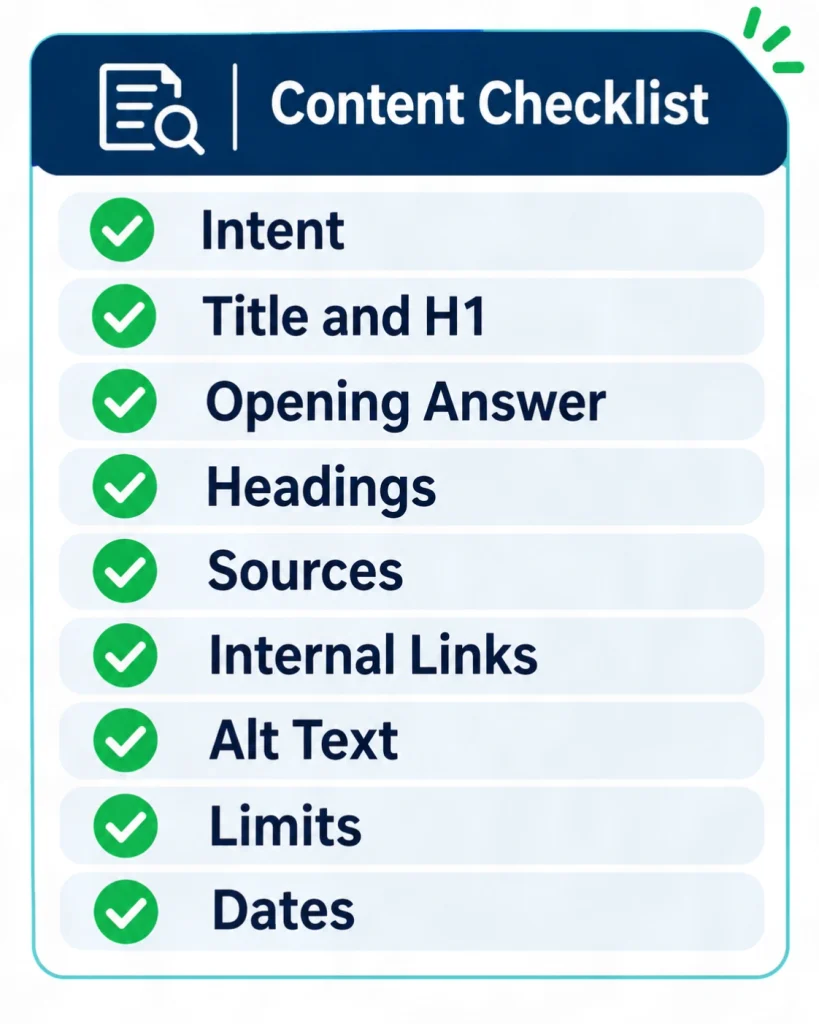
An SEO blog post checklist is a short list of checks to run before you publish, covering intent, structure, evidence, links, and metadata. Use it as a pre-publish gate.
- The post targets one clear intent and one primary keyword.
- The title and H1 describe the same page.
- The first 100 words answer the main question.
- Every H2 and H3 opens with a direct answer.
- Claims have named, linked sources with dates.
- Internal links point to relevant, real URLs.
- Images have descriptive alt text.
- The page states limits and does not promise results.
- The author, dates, and contact route are visible.
An SEO blog post checker or score tool can find gaps, such as a missing alt tag or a short meta description. Use it as a diagnostic. A green score does not prove quality, and these scores are not Google metrics.
SEO Blog Post Writer, Generator, and AI: What Is Safe to Use?
An SEO blog post writer or AI generator can draft text, but a human must verify facts, add real experience, and own the final page. AI output without review often repeats generic points and may contain invented facts.
Google says there is no separate AI rule for search. Its AI features page states “There are no additional requirements to appear in AI Overviews or AI Mode”, and it points back to normal SEO best practice on its AI features guidance. So the same standard applies to AI-assisted posts: useful, accurate, and people-first. google
Here is a featured prompt you can paste into an AI assistant. Replace the brackets with your details.
Featured SEO blog post prompt:
Act as a careful SEO editor. Plan a blog post for the keyword
"[primary keyword]" for [audience] in [country].

Rules:
1. Define the search intent in one sentence.
2. Give one H1 with the exact keyword.
3. Outline H2 and H3 headings. Each heading must be answerable
   in its first sentence.
4. List the facts that need a source. Do not invent statistics,
   quotes, names, or case studies. Mark anything unverified.
5. Add one comparison table idea and three image ideas.
6. Write ten FAQs that the body does not already answer.
7. Use simple US English. No filler, no unsupported claims.

Stop after the outline and wait for my approval.
Always check each fact the AI returns against a primary source. Never publish an AI answer as a citation.
Best SEO Blog Practices: Platforms, Examples, and Where to Learn
The best SEO blog practices are to publish useful, accurate, well-organized posts on a site that search engines can crawl. The platform matters less than the content and the technical basics.
Most popular platforms can do the job if they let you control titles, headings, URLs, internal links, image text, and page speed. Pick the one your team can maintain. Switching platforms will not fix weak posts.
For learning, start with official sources. Google’s Search Central documentation is the primary reference for how Google Search works. Community discussions, including Reddit threads, can show real questions, but they also contain opinions and outdated advice. Verify any tip against an official page before you act on it.
When you want ideas, study how well-organized blogs answer a query, then write your own original take. Do not copy structures wholesale. If your blog covers technical topics, a regular technical SEO and audit review keeps crawling and indexing issues from hiding good posts.
Blog vs Page SEO: What Is the Difference?
A blog post usually targets an informational query and builds trust, while a service or landing page targets a buying task and drives action. Both can rank, and each needs different content.
| Factor | Blog post | Service or landing page |
|---|---|---|
| Main intent | Learn or compare | Hire or buy |
| Typical length | Varies by question | Focused on the offer |
| Tone | Explanatory | Persuasive and specific |
| Calls to action | Soft next step | Clear action |
| Internal role | Supports the page | Converts the visitor |
The two work together. A blog post can answer early questions and link to the page that solves the full problem. Do not make a blog post compete with your own service page for the same keyword.
SEO Guest Posting: What It Is and How to Do It Safely
SEO guest posting means publishing an article on another website to reach its audience and earn a relevant link. It works when the article is useful to that site’s readers, not when it exists only to pass a link.
Google has warned about abuse. Reporting on its link scheme guidance says it lists large-scale article marketing or guest posting campaigns with keyword-rich anchor text links among link practices that violate its guidelines, according to Search Engine Land. Check Google’s current spam policies directly before running any campaign. searchengineland
If you plan guest posts, follow these habits:
- Pick sites with real editorial standards and a relevant audience.
- Write an original article, never a recycled one.
- Use natural or branded anchor text.
- Skip bulk services, “write for us” farms, and group-chat link swaps.
- Disclose any payment, as the host site requires.
Agencies and services that offer guest posts vary widely in quality. Ask for example articles, the host sites, and their editorial rules before buying.
How I Review SEO Blog Post Structure
When I review a blog post, I read the headings first, then test whether each section answers its own heading. I am Forkan Mahmud, an SEO professional who manages much of my work from Oman and works with SERP Panda. I have about five years of experience with European clients.
My day-to-day work covers local SEO, Google Business Profile optimization, website structure, topical maps, content briefs, and content optimization, and I work with a team. I do not have a controlled study or published case study to share here, so I will not claim measured results.
What I can share is the method I use on drafts:
- Read only the H1 and H2s. Does the outline tell the full story?
- Read the first sentence under each heading. Does it answer the heading?
- Mark every claim. Does it have a named, linked source?
- Check each link. Is the destination relevant and real?
- Read the page on a phone. Are paragraphs short enough to scan?
This five-step review is a working checklist from my own practice, not an experiment with data behind it. You can see more about my background on the About page.
Risks, Limits, and Next Steps
No blog post structure can guarantee rankings, traffic, or citations in an AI answer. Search results depend on competition, site quality, links, and many signals no one outside Google can see.
Keep these limits in mind:
- This guide uses public sources and my working experience. It is not a controlled test.
- Survey word counts show common practice, not what ranks.
- Plugin and checker scores are diagnostics, not Google metrics.
- Google may rewrite your title and description in results.
- Pages on medical, legal, or money topics need review by a qualified professional. SEO structure does not replace that review.
For next steps, run the checklist above on one existing post. Fix the headings and opening answer first, then add sources, then update the page date. Review the post again in 90 days, around 1 February 2027.
If you want help planning or reviewing a content set, you can contact me with your site and goal.
Sources and How They Were Checked
I opened each source below on 1 November 2026. Quoted wording is short and attributed. Statistics come from the named survey and year.
- Google Search Central, “Creating helpful, reliable, people-first content”: https://developers.google.com/search/docs/fundamentals/creating-helpful-content
- Google Search Central, “AI features and your website”: https://developers.google.com/search/docs/appearance/ai-features
- Google Search Central, “Influencing your title links in search results”: https://support.google.com/webmasters/answer/35624
- MarketingProfs, summary of Orbit Media’s 2022 blogging survey: https://www.marketingprofs.com/charts/2022/48014/the-state-of-blogging-in-2022-post-length-and-writing-trends
- Attorney at Work, summary of Orbit Media’s 2023 survey: https://www.attorneyatwork.com/mastering-the-art-of-blogging-strategies-for-lawyers/
- Search Engine Land, report on Google’s link scheme update: https://searchengineland.com/google-adds-large-scale-guest-posting-advertorials-optimized-anchor-text-to-list-of-link-schemes-168082
Items 4 to 6 are secondary reports of the original material. Where possible, check the original survey or Google policy page too.
Conclusion
A good SEO blog post structure is a clear path: define the intent, answer early, use honest headings, support claims, and finish with useful FAQs and metadata. The steps are simple, but they work only when the content itself is accurate and helpful.
Start with one post. Apply the nine parts, run the checklist, and publish with visible dates and sources. Then watch real Search Console data and improve the page over time.
Frequently Asked Questions
What is an SEO blog post?
An SEO blog post is a blog article planned around a specific search query and written to answer it clearly. It has a focused topic, a clear structure, honest sources, and basic on-page elements such as a title, headings, and metadata. It aims to help readers first and search engines second.
How long should a blog post be for SEO?
A blog post should be as long as needed to answer the query fully. Google says it has no preferred word count. Orbit Media’s 2022 survey found an average of 1,376 words, with most posts between 500 and 1,500. Use those figures as context, not targets.
What is the best SEO blog post structure?
The best structure follows the reader’s task: a clear title, a direct opening answer, logical headings, answer-first sections, useful visuals, relevant links, a short conclusion, and distinct FAQs. Adapt the order to your topic and intent, and drop any part that adds no value.
How do I SEO optimize a blog post?
Start with search intent, then write a descriptive title and H1, open with a direct answer, and use clear headings. Add accurate sources, relevant internal links, image alt text, a readable URL, and a meta description. Check the page in Search Console after publishing and improve it with real data.
Do blog posts help SEO?
Blog posts can help SEO when they answer real questions, earn trust, and link to related pages. They give your site more topics to rank for and more chances to be useful. Thin or off-topic posts do not help, and no post guarantees rankings.
Can AI write an SEO blog post?
AI can draft or outline an SEO blog post, but a person must verify every fact and add real experience. Google applies the same quality standard to all content and lists no extra AI requirements. Publish only what you have checked, and never cite an AI answer as a source.
What is SEO guest posting?
SEO guest posting is writing an article for another website to reach its audience and earn a relevant link. It is acceptable when the article is original and useful to that site’s readers. Large campaigns built around keyword-rich anchor text can violate Google’s link guidelines.
What should an SEO blog post checklist include?
A checklist should cover search intent, the title and H1, a direct opening answer, answer-first headings, sourced claims, relevant internal links, image alt text, a meta description, a clean URL, visible dates, and a limits statement. Run it before every publish and after each major update.
How is a blog different from a page for SEO?
A blog post usually targets informational queries and builds trust, while a service page targets a buying task and aims to convert. They support each other when the blog post answers early questions and links to the page. Avoid targeting the same keyword with both.
How do I write an SEO friendly blog post as a beginner?
Pick one topic and one question. Write the answer in the first paragraph, then add sections that cover related questions. Use short paragraphs, plain words, and clear headings. Add one or two real sources, link to a relevant page on your site, and read the post aloud before publishing.