Image SEO: The Complete Step-by-Step Guide With 7 Easy Fixes
Image SEO helps search engines find, understand and load your images. Learn 7 easy steps for format, file size, file names, alt text, lazy loading and sitemaps, with Google-backed sources and a checklist.


Image SEO is the practice of preparing images so search engines can find them, understand them and load them fast. It covers file format, file size, file names, alt text, responsive markup and sitemaps. This guide shows seven steps to optimize images, with sources, examples and a checklist.
Written by Forkan Mahmud, an SEO professional with about five years of experience in Local SEO, Google Business Profile, topical maps, content briefs and on-page optimization. Last updated: November 6, 2026.
What Is Image SEO?
Image SEO is the work of making images easy for search engines to crawl, index and understand, while keeping pages fast and accessible. It belongs to both on-page SEO and technical SEO. It affects Google Images, image thumbnails in text results and Google Discover.
Google describes the goal in simple terms. According to the Google Search Central image guidance, the same general recommendations apply to Google Images, text result images and Discover.
What Is Image Optimization in SEO?
Image optimization in SEO, often called image SEO optimization, is the process of improving an image’s format, size, name, description and placement so it helps a page rank, load quickly and serve readers. The image itself, the HTML around it and the page text all work together as one signal set.
What Is a SEO Image?
A SEO image is an image prepared with a short descriptive file name, accurate alt text, a compressed file size, a supported format and a place near relevant text. A stock photo uploaded as “IMG00023.JPG” with no description is not a SEO image.
What Is Image Optimization for the Web?
Image optimization for the web is the broader task of delivering the smallest file that still looks sharp on the reader’s screen. It includes resizing, compression, modern formats and responsive delivery. SEO adds naming, alt text, structured data and sitemaps on top of that.
What Is an Image Optimizer?
An image optimizer is a tool or plugin that compresses, resizes or converts image files. Some run in the browser, some run on a desktop and some run inside a content management system. An optimizer handles file weight. It cannot write accurate alt text for you.
Why Is Image Optimization Important for Rankings and Speed?
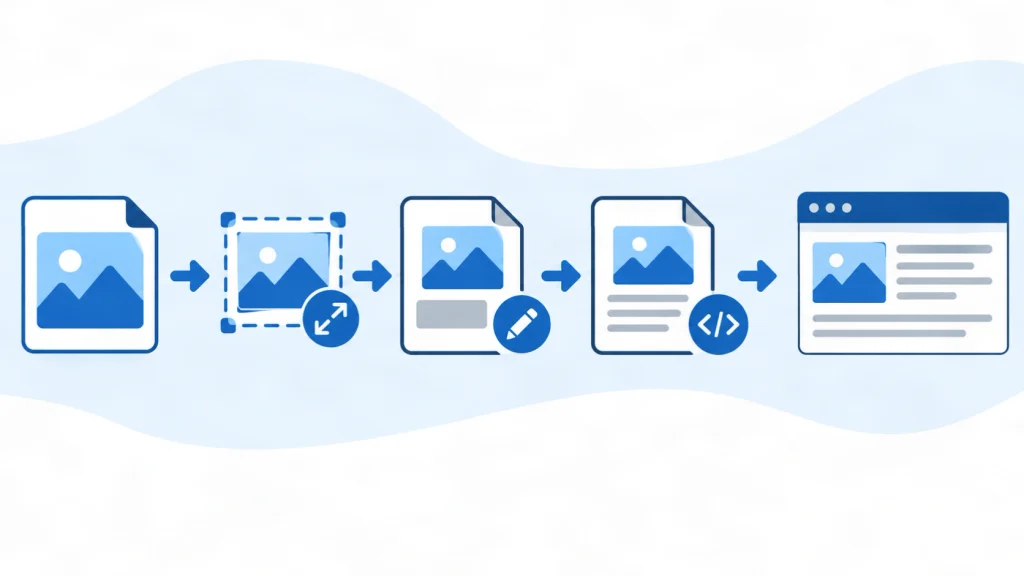
Image SEO matters because images are often the largest contributor to page size, and slow pages frustrate readers. Google notes that sharp, well-prepared images also appeal more to users in result thumbnails, which can raise the chance of a visit.
Why Is It Important to Optimize Images for the Web?
Optimizing images for the web reduces download time, saves mobile data and lowers the chance that a large photo delays the main content. Google’s Core Web Vitals guidance sets three targets: Largest Contentful Paint within 2.5 seconds, Interaction to Next Paint under 200 milliseconds and Cumulative Layout Shift below 0.1.
An unoptimized hero image is a common cause of a slow Largest Contentful Paint (LCP), the time until the biggest visible element appears.
How Does Image SEO Support AEO and GEO?
Image SEO supports answer engine optimization (AEO) and generative engine optimization (GEO) through clear text equivalents. Descriptive alt text, captions and nearby copy give both search engines and AI systems readable context. No special markup guarantees inclusion in AI answers, and results vary by topic.
Google states that its AI features rely on the same fundamentals as regular Search. Helpful, crawlable and indexable pages remain the base. Read Google’s page on AI features and your website for the current wording.
Is Reddit a Reliable Source for Image SEO Advice?
Reddit threads about image SEO are useful for learning how practitioners describe problems, but they are anecdotes and not evidence. Treat a forum tip as a hypothesis to test. Confirm it against Google documentation or against your own Search Console data before changing a site.
What Does SEO Optimization Mean for Content and Images?
SEO optimization means improving a page so search engines can understand it and readers find it useful. The work covers content, technical setup and media. Images are part of that work because they add context, weight and accessibility to every page.
What Is SEO Optimized Content?
SEO optimized content answers a real search need clearly, uses accurate headings, cites reliable sources and loads quickly. It is written for people first. Keywords appear naturally. For topical context, see this guide to semantic SEO and how entities connect within a page.
What Is Optimization in SEO?
Optimization in SEO is the ongoing process of testing and improving pages against search intent, site quality and technical standards. It never ends with one edit. Images need the same review cycle as text, usually every three to six months.
How Do Images Fit Into Topical Authority?
Images fit into topical authority when they illustrate the same subject that the surrounding pages cover in depth. Original diagrams and screenshots add information that text alone cannot. A cluster of related pages with consistent visuals helps readers. See this explanation of topical authority for the wider framework.
How to Optimize Images for SEO in 7 Steps
You can optimize images for SEO in seven steps: pick the right format, compress and resize, name the file, write alt text, add responsive markup, lazy load below-the-fold images and submit an image sitemap. Work in this order, because each image SEO step builds on the one before it.
Step 1: Choose the Right Image Format
The right format depends on the image type. Use lossy WebP or JPEG for photos, lossless WebP or PNG for graphics that need sharp edges and SVG for simple logos and icons. Google Search supports BMP, GIF, JPEG, PNG, WebP, SVG and AVIF.
WebP vs JPG for SEO
WebP usually produces smaller files than JPG at similar quality, and smaller files load faster. Google reports that lossy WebP images are 25 to 34 percent smaller than comparable JPEG images at an equivalent SSIM quality index. The same page reports that lossless WebP is 26 percent smaller than PNG.
Results depend on the image content and the encoder, so test your own files before converting a whole library. Format alone does not raise rankings. The speed gain is what helps.
| Format | Best use | Transparency | Note |
|---|---|---|---|
| JPG | Photos | No | Works almost everywhere |
| WebP | Photos and graphics | Yes | Google reports smaller files than JPEG and PNG |
| PNG | Sharp graphics, screenshots | Yes | Larger files for photos |
| AVIF | Photos | Yes | Supported by Google Search, test tooling first |
| SVG | Logos, icons | Yes | Scales without quality loss |
When Does PNG, SVG or AVIF Make Sense?
PNG makes sense for screenshots with text, SVG for vector logos and icons, and AVIF for photos when your tools and audience support it. Keep the file extension matched to the real file type, as Google recommends.
Step 2: Resize and Compress to the Right File Size
Resize each image to the largest width it will actually display, then compress it until quality loss becomes visible and step back one notch. Google publishes no ideal file size, so the target depends on layout width and page weight.
What Is a Good SEO Optimized Image Size?
A good image size for SEO is the smallest file that looks sharp at its display width. Google gives no fixed number of kilobytes. Use PageSpeed Insights to check whether images still slow the page, then reduce until the warning clears.
Lossy vs Lossless Compression
Lossy compression removes some image data to shrink the file and works well for photos. Lossless compression keeps every pixel and suits screenshots, logos and diagrams. Over-compressing a photo creates blur and blocky edges, and Google notes that sharp images attract more clicks in result thumbnails.
Step 3: Write Descriptive Image File Names
A good image file name is short, lowercase, hyphenated and describes the picture, for example “google-search-console-image-report.webp”. Avoid generic names such as “image1.jpg”. The name is a light signal, so keep it accurate and brief.
A filename gives Google “very light clues about the subject matter of the image.” Source: Google Search Central, Google image SEO best practices, last updated March 2, 2026.
For a site with thousands of images, automate naming with a consistent pattern. When you localize images, translate the file names too.
Step 4: Write Useful Alt Text
Alt text is a short written description of an image that screen readers read aloud and search engines use as context. Google calls alt text the most important attribute for image metadata, and it also helps users on slow connections.
Image Alt Text Best Practices
Describe what the image shows and why it matters on that page, in plain language. Mention a keyword only when it fits the description. Keep alt text short enough to read in one breath. Decorative images should carry an empty alt attribute, following the W3C Web Accessibility Initiative image tutorial.
| Quality | Example alt text | Why |
|---|---|---|
| Missing | (no alt attribute) | Search engines and screen readers get nothing |
| Stuffed | “seo image seo images optimize seo cheap” | Reads as spam, which Google warns against |
| Weak | “chart” | Too vague |
| Strong | “Bar chart comparing JPG and WebP file sizes for one photo” | Specific and useful |
What Alt Text Mistakes Should You Avoid?
Avoid empty descriptions on informative images, keyword lists, file names pasted into the alt field and text that does not match the picture. Google’s keyword stuffing policy applies to alt attributes as well as body text.

Step 5: Use Responsive Images and Clean HTML
Responsive images deliver a different file size to each screen, and clean HTML lets Google find them. Use a standard img element with a src attribute, and add srcset or the picture element when needed. Always keep a fallback src.
Google can find images in the src attribute of an img element, even inside a picture element. Google does not index CSS background images, so important images should never live only in CSS.
Step 6: Lazy Load Images Below the Fold
Lazy loading delays the download of an image until the reader scrolls near it. Add the loading=”lazy” attribute to images below the first screen, and set width and height so the layout does not jump. Never lazy load the LCP image.
Shopify’s developer documentation explains that lazy loading the main image delays its download. Google also provides a guide to fixing lazy-loaded content so that search crawlers can see it.
Step 7: Add an Image Sitemap, Captions and Structured Data
An image sitemap lists image URLs that Google might not otherwise discover. Captions and nearby text add context, and structured data can make images eligible for badges and rich results. None of these guarantees a ranking or a rich result.
Google allows image URLs from other domains in an image sitemap, which helps when a CDN hosts your files. Place each image near the text it supports, because Google reads surrounding content to understand the subject.
Image SEO Best Practices Checklist
Use this image SEO checklist before you publish any page. It turns the seven steps into pass or fail checks you can finish in a few minutes. Review it again at each content refresh, usually every three to six months.
What Are the Best Practices for Images on a Page?
The best practices are: one clear purpose per image, a supported format, a compressed file, a descriptive file name, accurate alt text, responsive markup, lazy loading below the fold and a nearby caption or sentence. Skip any image that adds no value to the reader.
| Check | Pass condition |
|---|---|
| Format | JPG, PNG, WebP, AVIF or SVG with a matching extension |
| File size | Smallest file that looks sharp at display width |
| File name | Short, hyphenated, descriptive |
| Alt text | Accurate, natural, no keyword list |
| Markup | img element with src, plus srcset where needed |
| Loading | LCP image loads immediately, others lazy |
| Context | Image sits near related text |
| Discovery | Image sitemap submitted where useful |
How Do You Run a Simple Image Audit?
Run an image audit by crawling the page, listing every image with its format, size, file name and alt text, then fixing the largest and least descriptive files first. Record the page’s LCP before and after, and state the tool and date you used.
The image SEO audit method has limits. A lab test measures one device and one connection, so field data in Search Console gives a fuller picture. Report only results you actually measured.
Which Image SEO Optimizer Tools Should You Compare?
Compare each image SEO optimizer by what it actually changes: compression, format conversion, file renaming, alt text suggestions or bulk processing. Verify every feature on the vendor’s official page, because tools change often. This guide does not rank products or promise results from any of them.
ImageOptim vs Squoosh vs JPEGmini: How Do They Differ?
ImageOptim, Squoosh and JPEGmini are image compression tools that differ in platform, interface, pricing and control. Compare them by running the same five photos through each one and checking file size and visible quality. Choose the one that fits your workflow.
What Does the ImageOptim Optimization Level Change?
An optimization level in a tool such as ImageOptim controls how aggressively the tool searches for smaller files, usually trading processing time for size. Settings and names vary by version, so read the current documentation and test levels on a sample before running a full batch.
What Is the Best Plugin to Optimize Images in WordPress?
No single plugin suits every site. Pick a WordPress plugin that compresses on upload, converts to WebP, supports lazy loading and lets you review changes. Test it on a staging site first and confirm the result with PageSpeed Insights.
How Do Branded Optimizer Apps Compare?
Apps such as TinyIMG, Booster, Avada SEO and SEOAnt are marketed as image or SEO optimizers for online stores and websites. Each one has its own feature list, pricing and limits. Read the official documentation and run a trial on a few pages before installing site-wide.
How to Optimize Images in Photoshop
To optimize an image in Photoshop, resize it to the display width, then use the export or “Save for Web” style options to choose a format and quality level. Menu names differ between versions, so check Adobe’s current help pages for exact steps.
How Does Image Optimization JavaScript Work?
JavaScript can lazy load images, swap sources by screen size or convert files in a build step. Google can only index images that appear in an img element’s src attribute, so scripts must still output standard HTML that crawlers can read without extra steps.
What Are the Limits and Risks of Image Optimization?
Image SEO has real limits. Smaller files can lose quality, tools can break layouts, and no technique guarantees rankings, traffic or AI citations. Test changes on a few pages first and keep backups of original files.
When Should You Ask a Qualified Professional?
Ask a qualified web developer, accessibility specialist or legal professional when a site must meet formal accessibility rules or handle licensed photography. Alt text written for SEO may not satisfy legal accessibility requirements, which vary by country and by sector.
Which Information Should Stay Time-Sensitive?
Format support, browser behavior, Core Web Vitals targets and Google documentation can change. This guide reflects sources read on November 6, 2026. Recheck the linked Google pages before large site changes.
Conclusion
Image SEO is a repeatable process: choose a supported format, compress to the display size, name files clearly, write honest alt text, use clean responsive markup, lazy load below the fold and submit a sitemap where it helps. Measure before and after, and refresh every three to six months.
Need help applying this to a business site? Forkan Mahmud offers website SEO services, SEO content writing and topical map planning. You can also read more about Forkan Mahmud or contact him directly. This is a commercial service, and the guide above stands on its own without it.
Frequently Asked Questions About Optimizing Images
These ten questions cover alt text, file size, formats, renaming, plugins and AI search. Each answer stands alone, so you can read only the question you need.
Does image alt text affect rankings?
For image SEO, Google says alt text is the most important attribute for image metadata and uses it with computer vision and page content to understand an image. Google does not publish a ranking weight for alt text, so treat it as a clarity and accessibility task, not a ranking trick.
How many keywords should alt text contain?
Alt text needs only the words that describe the image, and a keyword belongs there only when it fits naturally. Google warns that filling alt attributes with keywords is keyword stuffing and can make a site look like spam.
What file size is best for blog images?
Google gives no fixed size for image SEO. The best blog image is the smallest file that looks sharp at the width where it displays. Resize first, compress second, then check the page in PageSpeed Insights and adjust until image warnings clear.
Should I use AVIF instead of WebP?
AVIF is supported by Google Search, so it can work for photos. WebP has longer support and simpler tooling. Choose AVIF only when your platform, plugins and audience support it, and keep a fallback format in a picture element.
Can I rename existing images without losing traffic?
Renaming changes the image URL, so old links and indexed URLs may break. Google advises referencing each image with a consistent URL. Rename only when the gain is clear, and redirect or update every reference.
Do CSS background images get indexed?
No. Google states that it does not index CSS images and finds images in the src attribute of img elements. Use a standard img element with alt text for any image that should appear in search.
Does every image need alt text?
Every informative image needs alt text. Purely decorative images should have an empty alt attribute so screen readers skip them, which follows the W3C Web Accessibility Initiative guidance on images.
How often should I audit images?
Audit image SEO every three to six months, and after a theme change, plugin change or redesign. A regular review catches oversized uploads, missing alt text and lazy loading applied to the wrong image.
Are image optimization plugins enough on their own?
Image SEO plugins handle compression, conversion and lazy loading well, but they cannot judge whether an image is useful or write an accurate description. Pair a plugin with a human review of file names, alt text and placement.
Do AI search features use images differently?
Google states that its AI features rely on the same fundamentals as Search, so image SEO needs no special markup for them. Clear alt text, captions, crawlable pages and fast loading remain the practical steps, and no result is guaranteed.