Web Design and SEO: How Design Affects Your Rankings
Discover how web design and seo work together to boost your search rankings. Learn how page speed, UX, mobile-friendliness, and site structure drive organic traffic. Read the complete guide

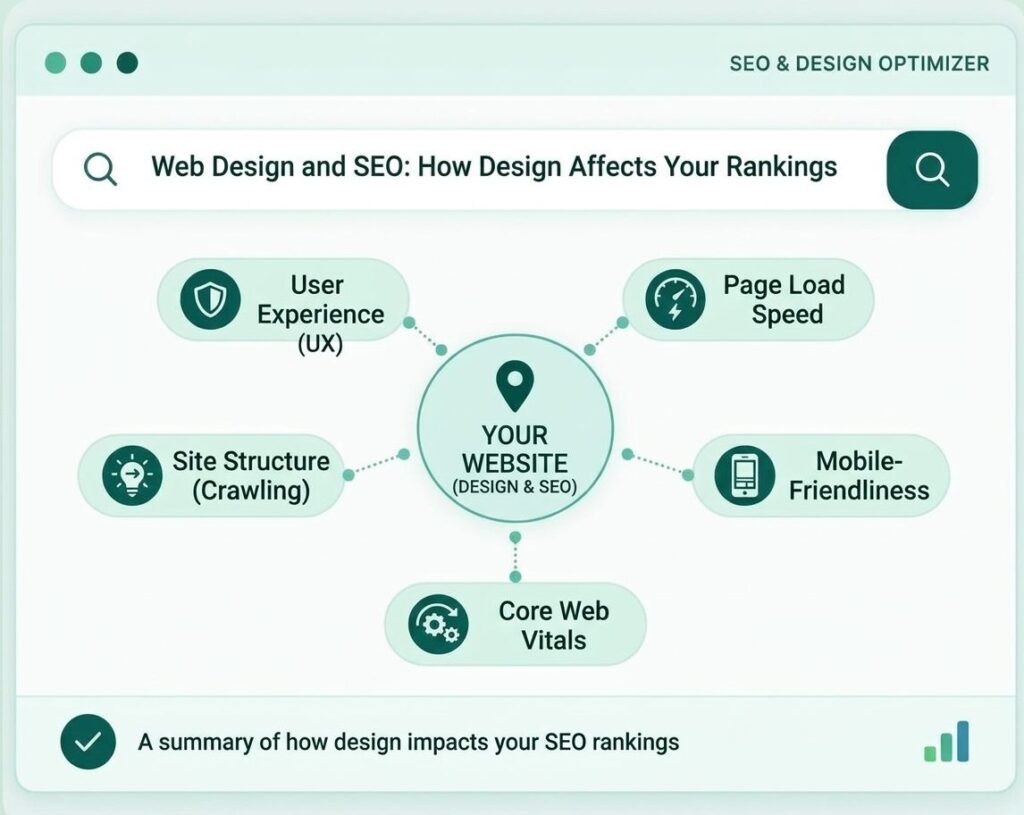
Web design and SEO are linked because a site’s structure, speed, layout and code decide whether search engines can read it and whether visitors can use it. Design does not rank a page by itself, but poor design can block crawling, slow loading and frustrate people before they read anything. This guide separates what Google documents from what is only assumed, and shows which design choices deserve attention.
Web design affects SEO mainly in direct ways, such as crawlable links, mobile content, loading speed and intrusive overlays, and in indirect ways, such as readability and engagement. Google says good page experience supports success in Search but does not guarantee rankings, so fix real barriers first and avoid chasing myths.
Does Web Design Affect SEO?
Yes, web design affects SEO, mostly by helping or blocking crawling, loading and usability, but it is one factor among many. Google states that its core ranking systems look to reward content that provides a good page experience, and also that it will show the most relevant content even when page experience is weak. Relevance and quality still come first. To see how design impacts SEO in practice, start with the direct effects, because they are the easiest to check and fix.
What Google documents, and what is inference
Documented effects come from Google’s own guidance, while inferred effects are reasonable ideas that Google has not confirmed as ranking signals. The difference matters, because many articles present inference as fact. Google’s page experience guidance says there is no single page experience signal, and that good Core Web Vitals results do not guarantee top rankings. This guide labels each claim as documented or assumed, so you can see which advice rests on evidence.
How Web Design and SEO Work Together
Web design and SEO work together when design makes content reachable, readable and fast, and SEO decides which content and structure the design must support. Neither can replace the other. A fast, clear design with weak content does not satisfy searchers, and strong content inside a broken design may never be seen.
The relationship has two parts:
- Direct effects. The design changes what search engines can crawl, index and measure, such as links, mobile content and loading metrics.
- Indirect effects. The design changes how people behave, such as whether they read, trust, share or return, which can influence links, mentions and conversions over time.
Direct effects are easier to verify. Indirect effects are real for businesses but hard to prove as ranking inputs. For the definition and a build checklist, see the SEO friendly web design guide.
Direct Ways Design Affects SEO
Design affects SEO directly through crawlable links, the mobile version of each page and the page experience a visitor receives.
Crawlability and links
Search engines can follow links built as anchor elements with an href attribute, so menus that rely only on scripts can hide pages. Google’s link best practices describe this requirement. A beautiful menu that cannot be crawled can leave important pages undiscovered.
Mobile layout and indexing
Google predominantly uses the mobile version of a page for indexing, so the phone layout must carry the same content as the desktop layout. The mobile-first indexing guidance explains this. Designs that hide text, links or images on phones can leave search engines with a thinner page than visitors see on a desktop.
Page experience
Page experience covers how a page feels to use, including loading, stability and whether overlays block content. Google lists self-assessment questions, such as whether pages have good Core Web Vitals and avoid intrusive interstitials, but it does not treat page experience as one score.

Design and Core Web Vitals
Core Web Vitals measure loading, responsiveness and visual stability, and design choices influence all three. Google’s Core Web Vitals page advises aiming for a Largest Contentful Paint within 2.5 seconds, an Interaction to Next Paint under 200 milliseconds and a Cumulative Layout Shift under 0.1.
- Largest Contentful Paint. A large hero image, an autoplaying video or a heavy slider is often the biggest element, so it can delay this measure. Compress media, size it for the layout and avoid loading it late.
- Interaction to Next Paint. Heavy scripts, complex menus and many third-party widgets can make a page slow to respond. Remove what you do not need.
- Cumulative Layout Shift. Images without set dimensions, late-loading banners and cookie bars that push content down cause layout shifts. Reserve space for every element.
Google adds that good scores do not guarantee top rankings, so treat these measures as a quality standard for visitors, not a ranking trick.
Web Design SEO Ranking Factors: Documented or Assumed?
Only some web design SEO ranking factors are described in Google’s guidance, and the rest are assumptions or indirect effects. The table below separates them using the sources I checked.
| Design element | Status | What the evidence says |
| Crawlable links | Documented | Google follows standard anchor links with an href attribute |
| Mobile version content | Documented | Google predominantly uses the mobile version for indexing |
| Core Web Vitals | Documented as part of page experience | Google recommends good scores but says they do not guarantee rankings |
| Intrusive overlays | Documented guidance | Google says they can make content hard to understand and may lead to poor search performance |
| Bounce rate | Not found in Search guidance | It is an analytics metric, and I found no Search documentation listing it as a signal |
| Colours and visual style | Not documented as a ranking factor | They can affect trust and engagement indirectly |
| Readability and layout | Indirect | They support helpful, people-first content, which Google asks for |
Treat articles that call every item a confirmed ranking factor with caution. Google also says that, beyond Core Web Vitals, other page experience aspects do not directly help a site rank higher.
Bounce Rate and Design
Bounce rate is a reporting metric that shows the share of sessions that were not engaged, and it is not a design problem by itself. In Google Analytics 4, bounce rate is the opposite of engagement rate, as the Analytics help page explains. If 60 per cent of sessions are engaged, 40 per cent are counted as bounces.
Is bounce rate a Google ranking factor?
I found no Google Search documentation that lists bounce rate as a ranking factor, so claims that it directly lowers rankings are unproven. Google’s page experience guidance does not include it. Even so, a high rate can point to a real problem worth fixing.
How to read bounce rate with design in mind
- Compare pages, not sites. A blog post that answers a question quickly can have a high rate and still succeed.
- Check the device. A big gap between phone and desktop often points to a layout, speed or pop-up problem.
- Check the traffic source. Visitors from different channels behave differently.
- Pair it with engagement time and conversions. One number rarely tells the full story.
Web Design and User Experience SEO
Good user experience design helps SEO indirectly by making pages easier to read, trust and act on. These effects are hard to measure as ranking inputs, but they support the helpful, people-first content that Google’s guidance asks for.
- Clear navigation. Visitors and crawlers should reach main sections quickly.
- Readable text. Adequate size, contrast and spacing keep people on the page.
- Accessible design. Good headings, alt text and keyboard access help many visitors and improve structure.
- Clear calls to action. One obvious next step reduces confusion.
- Consistent layout. Predictable patterns build familiarity and trust.
Images, Fonts and Media: Design Choices That Affect Speed
Images, fonts and media are the heaviest parts of most pages, so the way you design with them has a large effect on speed and stability. These choices belong to the design stage, because they are hard to fix once every page is built.
- Image format and size. Export images at the size they appear, and use modern, compressed formats where your platform supports them. A photo that is much larger than its space adds weight and slows the first view.
- Image dimensions. Set width and height so the browser can reserve space. This prevents the page from jumping as pictures load.
- Lazy loading. Images far below the first screen can load later, but the main image at the top should load first.
- Web fonts. Each font family and weight is another file to download. Use few styles, and choose fonts that include the characters your languages need.
- Avoid autoplaying video at the top of a page. Link to a video or load it only when someone chooses to play it.
- Icons and decoration. Large icon libraries and decorative effects add code that visitors never notice. Load only what the design uses.
- Alt text and file names. Describe images accurately, because alt text helps accessibility and gives search engines context.
Pop Ups SEO: What Counts as Intrusive
Pop ups hurt SEO when they cover the main content and make it hard for search engines and visitors to use the page; they are not banned outright. Google’s guidance on intrusive interstitials says they may frustrate users, erode trust and make it hard for Google to understand content, which may lead to poor search performance.
- Avoid covering the whole page. Do not hide the main content behind a full-page overlay.
- Use banners instead. Google recommends banners rather than interstitials for most promotions.
- Keep consent content crawlable. Legally required notices are treated differently, but the page content should still be available to Google.
- Do not redirect to a separate page. Avoid sending visitors to another page just to collect consent or details, unless it is legally required.
- Mind the timing. A prompt that appears the moment someone arrives from search is the most likely to frustrate.
Treat claims of heavy, specific penalties with caution unless they come from Google’s own documentation.
Web Design and SEO Problems: Symptoms, Causes and Fixes
Poor web design SEO impact usually shows up as symptoms you can measure, and each symptom points to design causes you can fix. The table below links the two.
| Symptom | Likely design cause | Fix |
| Pages not indexed | Menu links built from scripts, blocked templates | Use real links, check robots and noindex settings |
| Thin mobile pages | Content hidden or removed on phones | Match mobile and desktop content |
| Slow loading | Large images, sliders, many scripts | Compress media, remove heavy elements |
| Content jumping on load | Missing image sizes, late banners | Set dimensions and reserve space |
| High phone bounce rate | Overlays, small text, hard menus | Simplify the layout and test on real phones |
| Weak engagement | Dense text, poor contrast | Improve readability and headings |
| Orphaned pages | Pages missing from menus and links | Add internal links and update the sitemap |
Which Design Fixes to Make First
Fix the barriers that stop pages being found or used first, then improve speed and stability, and leave visual polish until last. A priority order stops a small team from spending weeks on details while a blocked menu hides ten pages.
- Make sure important pages can be crawled and indexed, and that menus use real links.
- Mobile content. Check that the phone version carries the same text, links and images as the desktop version.
- Remove or reduce anything that covers the main content when a visitor arrives from search.
- Compress the largest images, remove heavy sliders and cut unneeded scripts.
- Reserve space for images, ads and banners so the layout does not jump.
- Tidy navigation, headings and internal links so related pages connect.
- Improve text size, contrast and spacing.
- Visual polish. Refine colours, animation and decoration once the earlier steps are done.
Review the order against your own data. A site with indexing problems needs step one, while a fast site with a confusing menu may only need step six.
Design Mistakes SEO Teams See Most
The most common design mistakes put style ahead of access, speed or clarity.
- Designing before planning structure. The menu grows page by page with no logic.
- Text inside images. Search engines and many assistive tools cannot read it as text.
- Heavy hero sections. Large videos and sliders slow the first view.
- Full-page overlays on arrival. Visitors from search are blocked before they read.
- Different mobile and desktop content. Phone visitors and search engines see less.
- Skipping redirects in a redesign. Old URLs lose their links and traffic.
- Treating design as finished at launch. Plugins, scripts and content change over time.
Redesigns and SEO: How to Avoid Losing Visibility
A redesign can hurt search visibility when it changes URLs, removes content or slows pages, so plan it as an SEO project as well as a design project. Many drops after a relaunch have simple causes that planning would have caught.
- Keep a list of current URLs. Export every indexed page and its traffic before the project starts.
- Map old URLs to new ones. Where an address changes, set a permanent redirect to the closest matching page, not to the home page.
- Keep valuable content. Do not shorten or remove pages that bring visitors just because the new layout has less space.
- Keep titles, headings and internal links. Carry over the elements that told search engines what each page was about, and improve them deliberately.
- Test on a staging site. Check crawling, mobile content, speed and overlays before launch, and make sure the staging site is blocked from search while you test.
- Remove staging blocks at launch. A leftover noindex tag or robots rule is a common cause of sudden drops.
- Monitor after launch. Watch indexing, errors and traffic in Google Search Console for several weeks, and fix problems quickly.
Changes in rankings after a redesign do not always mean the design failed. Results also depend on competitors, seasonality and updates to search systems, so compare like with like before you draw conclusions.
Web Design and SEO Teamwork: Who Does What?
Designers shape the experience, developers build speed and structure, and SEO specialists define what the site must support, so the three roles need to work from one brief. This also answers the common question of website design vs SEO: they are not rivals, because each depends on the other.
- The designer. Plans layout, hierarchy, readability and visual identity.
- The developer. Builds clean code, fast pages, correct links and a stable layout.
- The SEO specialist. Defines the structure, page topics, URL pattern, content needs and checks.
- The content owner. Supplies accurate text, images and proof.
- The shared brief. All four agree on goals, page types and launch checks before design starts.
If you want specialist input on this stage, my website SEO services cover structural and technical reviews.
How to Check Your Design’s SEO Impact
Check your design with Google Search Console, a speed test, a site crawl and real devices, then compare results over time.
- Search Console. Review indexing, mobile and Core Web Vitals reports for problems.
- Speed tests. Test key page types, not only the home page.
- A crawl of your site. Find broken links, missing titles, duplicate pages and orphaned pages.
- Compare engagement by page, device and channel, and read bounce rate as a prompt to investigate.
- Real phones. Open pages on a phone and check menus, overlays and text.
For deeper checks, see the technical SEO audit guides. Avoid judging a redesign by a few days of data, because results vary and take time.

Designing for Europe, the Middle East and Asia
Sites for these regions often serve several languages and need consent notices, so design must handle both without blocking content.
- Consent banners. Legal requirements differ by country, so check them with a qualified adviser. Keep the notice compact and the page content available.
- Several languages. Give each language its own URL, translated content and clear links between versions.
- Right-to-left layouts. Mirror menus, spacing and reading order for languages such as Arabic.
- Fonts for each script. Choose fonts that cover the characters you need and load quickly.
- Test each version. Check speed, links and overlays in every language, not only the main one.
The multilingual section of the guide linked earlier covers hreflang in more detail.
Next Step for Your Website
If you want a design that supports search from the start, a clear brief and the right service make the difference. For a new or rebuilt site, see my web design service. If you want a review of your current pages, contact me for a website review and share your URLs.
Conclusion
Web design affects SEO by shaping access, speed and usability, but it works through relevance and quality, not around them. Fix the documented barriers first: crawlable links, a complete mobile version, stable and fast pages, and no overlays that block content. Treat bounce rate and colour theories as clues, not rules, and review the site regularly.
Frequently Asked Questions
Does web design affect SEO?
Yes, design affects crawling, mobile content, speed and usability, which can influence how pages perform in search. It supports rankings but does not replace relevant, helpful content.
How does design impact SEO?
Design impacts SEO directly through links, mobile layout and page experience, and indirectly through readability, trust and engagement.
Is bounce rate a Google ranking factor?
I found no Google Search documentation listing bounce rate as a ranking factor. In Google Analytics 4 it is simply the opposite of engagement rate, so use it to find problems.
Do pop ups hurt SEO?
They can, when they cover the main content and make the page hard to use or understand. Google advises avoiding intrusive interstitials and using banners instead.
Does website speed affect rankings?
Google recommends good Core Web Vitals for success in Search but says they do not guarantee top rankings. Speed mainly protects the visitor experience.
Do Core Web Vitals depend on design?
Yes, images, sliders, scripts and layout choices strongly influence loading, responsiveness and stability.
Can a redesign hurt SEO?
Yes, a redesign can hurt SEO if it changes URLs without redirects, hides content or slows pages. Plan redirects and test before launch.
Is a beautiful design bad for SEO?
No, a beautiful design is fine when it loads quickly, keeps text as real text and keeps navigation crawlable.
Who should lead, the designer or the SEO?
Neither should lead alone. Agree on a shared brief so structure, design and content support each other.
How often should you audit design for SEO?
Audit at launch and then every quarter, or after a redesign, theme change or major plugin update.