Topical Map for SaaS Websites
A simplified guide to technical SEO basics for beginners: how crawling and indexing work, key topic and entity connections, and essential site architecture needed to build search visibility.

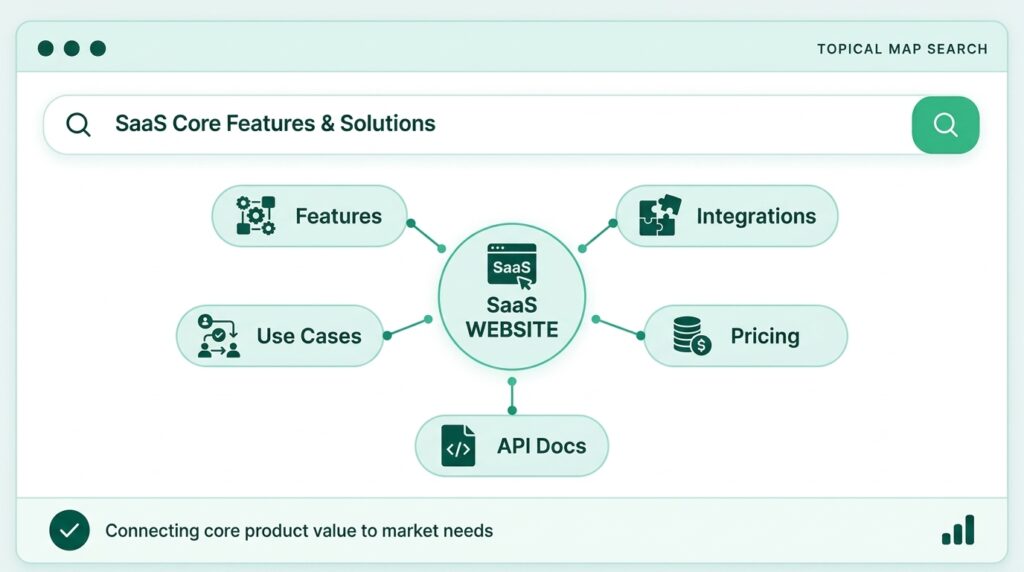
A topical map for SaaS is a planned structure of every product, feature, use case, integration, comparison and educational page that a software website needs. For each page, it records the keyword, the search intent and the internal links. This guide explains how the plan works, which page types belong in it and how to build one step by step.
A SaaS site ranks and converts better when its pages form a connected structure instead of a pile of separate posts. Start with the content closest to a purchase, support them with educational clusters, give every URL one keyword and one job, and review the plan every quarter.
What Is a Topical Map for SaaS?
A topical map for SaaS is a plan that shows every page your software website needs and how those pages connect. It lists the topics, assigns one primary keyword and one search intent to each URL, and sets the internal links between them. The result is a site that reads as one organized resource, not as a product site with a blog attached.
How a SaaS map covers product and problem topics
Product topics describe what the software does, and problem topics describe what buyers are trying to solve. A project management tool, for example, needs feature pages such as task management and client approvals. It also needs problem content such as how to run a campaign review or how to stop scope creep. Both groups sit in the same plan, and the links between them lead readers from a problem to the feature that solves it.
Topical map vs keyword list vs content calendar
A keyword list records search terms, a content calendar records publishing dates, and a topical map joins both to a site structure. The keyword list tells you what people search. The calendar tells you when to publish. The map decides which content should exist, how they relate and in what order to build them.
Why SaaS Websites Need Topical Authority
SaaS websites need topical authority because buyers compare several sources before choosing software, and scattered content rarely shows real expertise. A buyer in Muscat, Dubai or Riyadh may read a guide, check a pricing page, search for alternatives and look for an integration before booking a demo. A connected site answers each of those steps in one place.
What topical authority means, and what it does not
Topical authority is an SEO concept describing how completely and credibly a site covers a subject, and Google does not publish it as a score. Treat it as a useful way to plan coverage, not as a ranking switch. Google’s own guidance asks for helpful, reliable, people-first content, which is the standard each page in your map should meet. A map organizes that effort. It does not replace the quality of each page.
Problems a map fixes
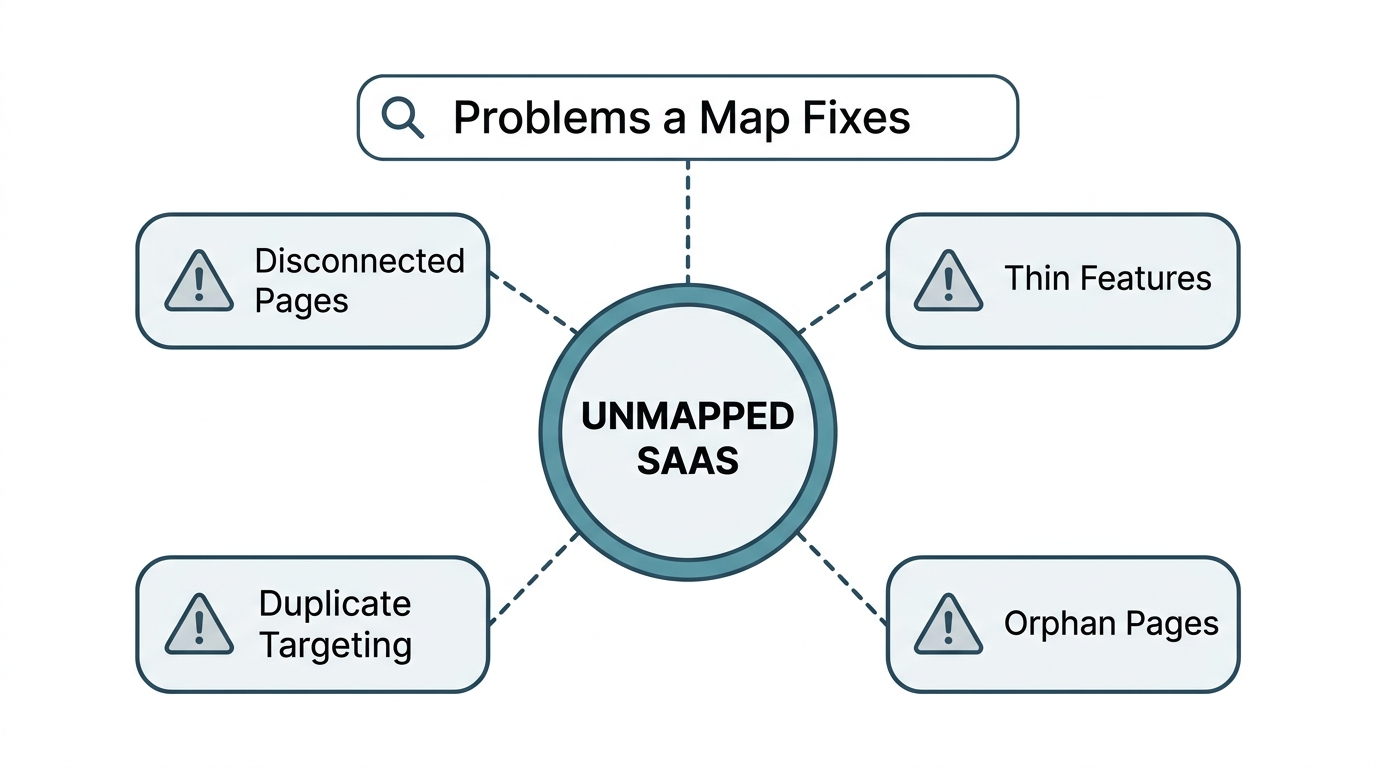
A map fixes the most common structural problems on SaaS websites. These problems appear often when content is published one at a time without a plan:
- Disconnected blog and product pages. Articles attract readers who never see a feature page, so traffic does not turn into trials.
- Thin feature pages. A feature page that only lists benefits leaves out the questions buyers actually ask.
- Duplicate targeting. Two or three URLs chase one query, so none performs well.
- Orphan pages. Content with no internal links is harder for readers and crawlers to find.
Core and Outer Sections of a SaaS Website
A SaaS website has a core section that drives revenue and an outer section that builds depth and trust. The map gives each page a role in one of these two groups, so effort goes where it matters first.
Core pages that drive trials and demos
Core pages are the ones that help a buyer decide, such as features, use cases, integrations, comparisons and pricing. They carry the strongest internal links and the clearest calls to action. Clean, crawlable structure supports them, and professional website SEO services can help when the technical foundations need work.
Outer pages that build depth and trust
Outer pages are guides, glossary entries, templates, research and case studies that answer questions earlier in the buying journey. They bring in readers who are still learning. Each outer page links to the core page that solves the problem it describes, which gives the visit a next step.
Feature and Use Case Pages
Feature pages explain what a capability does and who needs it, and use case pages show how the product solves a specific job. Both page types sit in the core section, and they work best as a connected pair.
- Feature pages. Describe the feature in plain language, show a screenshot or short demo, and link to related features and integrations. Each page needs one clear call to action, such as a free trial.
- Use case pages. Match how buyers search, for example invoicing for freelancers or onboarding for B2B teams. Include a sample workflow and name the features that matter most.
- Industry and role pages. Create these only when you can add real, specific content. Replacing the industry name in a template produces thin duplicates that do not help readers.
- Add customer quotes and results you can verify. Claims without evidence weaken the page.
Integration Pages
Integration pages explain how your software connects to another tool, and they attract buyers who already use that tool. Searchers often ask whether a product works with the system they have, so the intent is high and the competition is often lower than for broad terms.
- An integrations hub. One page groups integrations by category and links to each individual page.
- One page per popular integration. State what the integration does in one sentence, then add setup steps and the automations it allows.
- Honest limits. Say what is not supported. Clear limits reduce support questions and build trust.
- Quality over volume. Build pages for integrations your customers actually use. Hundreds of near-identical entries add little value and can look like scaled content that Google’s spam policies warn against.
SaaS Comparison Content
SaaS comparison content helps buyers who have already narrowed their options choose between named products. These pages carry strong buying intent, and honest comparisons convert better than attack pieces.
- Alternatives pages. Target searches for alternatives to a well-known competitor and show where your product fits.
- Versus pages. Compare two products on features, pricing model, support and the type of customer each suits.
- Category roundups. Publish best-software lists for a specific audience to reach buyers who have no brand in mind.
- Switching guides. Explain how to move from a competitor, including data transfer and onboarding.
- Facts and tables. Verify competitor details, update them regularly and present differences in a clear side-by-side table.
Bottom of Funnel SaaS Topics
Bottom of funnel SaaS topics are the topics that serve buyers who are ready to choose a vendor. Their search volumes are often smaller, yet they sit closest to revenue, so they deserve the first slots in your publishing plan.
- Pricing and plans. Explain what each plan includes and who it suits.
- Category software for a niche. Topics such as CRM for small agencies match specific buyers.
- Migration and onboarding guides. Show that switching tools is manageable.
- Security and compliance pages. Answer the questions that IT and procurement teams ask before approving software.
- Case studies and ROI pages. Give buyers real outcomes and numbers they can use to justify the purchase.
- Demo and trial pages. Offer ready buyers one focused action.
SaaS Content Map by Funnel Stage
A SaaS content map assigns each page to a buying stage, so every stage has content that fits the buyer’s question. The same idea is described in Google’s wider advice to match content to what people need, and it works well for software.
- Problem guides, definitions and frameworks for people who may not know software can help.
- Buyer guides, checklists and comparisons such as spreadsheet versus software.
- Feature, use case, integration, pricing and case study content with a clear demo or trial option.
- Onboarding guides and advanced tutorials that help customers get value and stay.
What Topics Should a SaaS Blog Cover?
A SaaS blog should cover topics that connect buyer problems to your product, not only topics with high search volume. Every post should either help a reader solve a real problem or lead them toward a core page.
- Problem and workflow guides. Step-by-step help for jobs your users perform each week.
- Category education. Definitions and best practices that capture early-stage readers.
- Templates and tools. Small free resources that lead naturally to the product.
- Decision guidance. How to choose software, what to check and which mistakes to avoid.
- Industry and role content. Challenges that belong to the sectors you serve.
- Customer stories and original data. Evidence that others can cite and readers can relate to.
Use three tests before writing any topic. First, do people in your market search for it? Second, can you add something original? Third, does it connect to a product page? If the answer to the third question is no, skip the topic.
How to Build a Topical Map for SaaS Step by Step
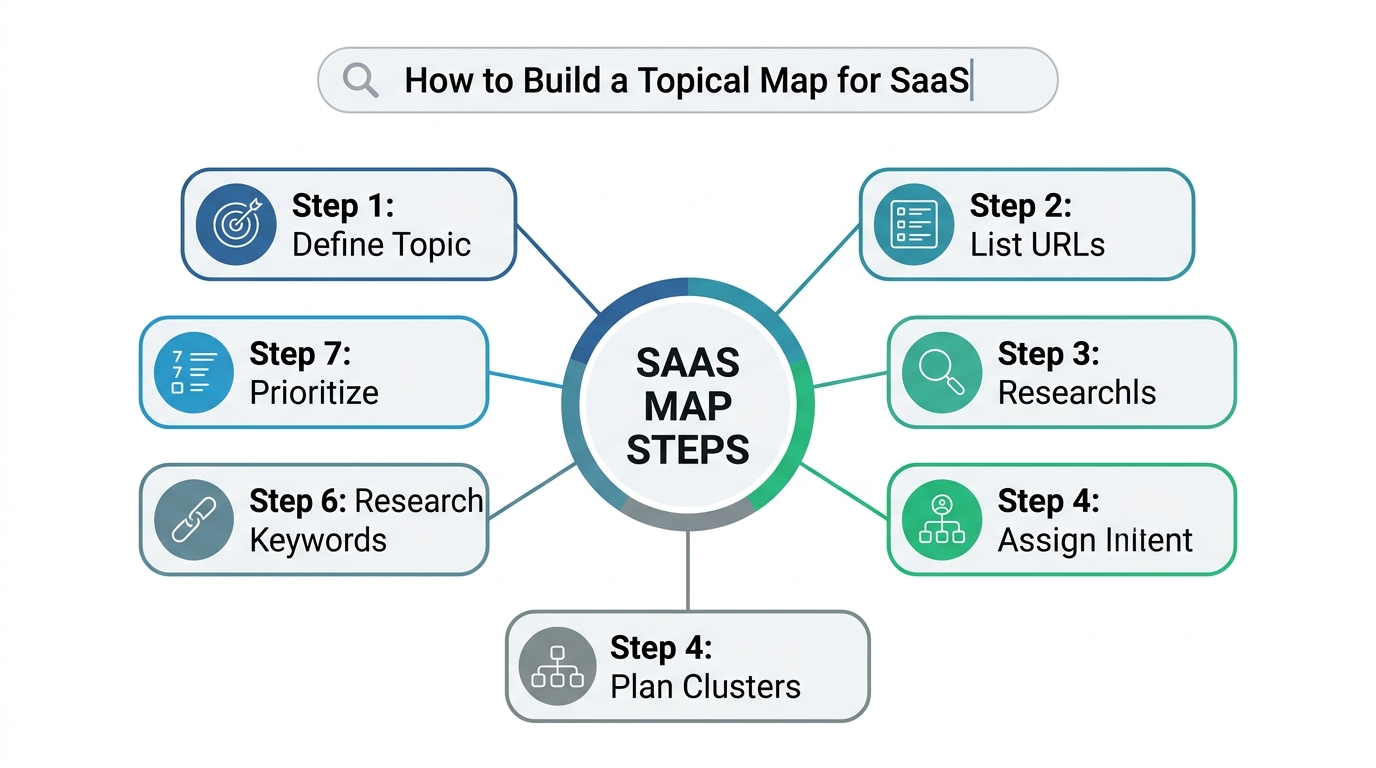
To build a topical map for SaaS, define your central topic, list your URLs, research keywords and competitors, group topics into clusters, assign one keyword per URL, plan links and publish in priority order. The steps below follow that sequence. If you would rather hand this stage to a specialist, a topical map service can produce the plan for you.
Step 1: Define the central topic and audience
Write one sentence that states your product category, your audience and the main jobs the software does. For example: project management software for small marketing agencies. Every later topic must fit this sentence, and anything that does not fit stays out of the map.
Step 2: List core pages and existing URLs
List every current feature, use case, integration, pricing and comparison page, then mark what is missing. Include old posts and thin content too. Many SaaS sites already have overlapping drafts, and the map shows which to keep, merge or improve.
Step 3: Research keywords, questions and competitors
Collect search terms and questions from keyword tools, Google Search Console, sales calls, support tickets and competitor sites. Group them by intent. Keep low-volume terms when they show clear purchase intent. Look for topics that competitors cover thinly or not at all, because those are your best opportunities.
Step 4: Plan SaaS topic clusters
A topic cluster is one pillar page plus supporting pages that answer narrower questions and link back to the pillar. For most SaaS topics, a pillar with five to fifteen supporting pages is a practical range. Each cluster should link to at least one product page, so the reader has a path from the answer to the solution.
Step 5: Assign one keyword and one intent to each URL
Give every URL one primary keyword and one search intent, and record both in a spreadsheet. If two topics share a keyword, merge them or change the angle. This single rule prevents most cannibalization problems later.
Step 6: Plan the internal links
Decide in advance which URL links to which, and choose descriptive anchor text for each link. Supporting pages link to the pillar, the pillar links back out, and every cluster leads to a relevant feature, use case or comparison page.
Step 7: Prioritize and publish
Publish in this order: bottom of funnel pages, supporting content closest to them, and then wider educational topics. Score each topic for business value, effort and dependencies. Write each page from a clear brief, and update the map the day a page goes live.
Topical Map for SaaS Example for a Project Management Tool
A topical map for SaaS example shows how core pages, clusters and links fit together for one product. The example below is a fictional project management tool for marketing agencies. It is an illustration, not client data.
| Map level | Example page | Role |
| Core feature | Client approvals | Explains the capability and leads to a trial |
| Core use case | Project management for creative agencies | Matches a specific buyer |
| Core integration | Slack and Google Drive integration | Serves buyers with an existing toolset |
| Core comparison | Alternatives to a well-known competitor | Captures buyers comparing vendors |
| Cluster pillar | How agencies manage client approvals | Covers the topic broadly |
| Supporting page | Client feedback workflow template | Answers one narrow question |
| Supporting page | How to prevent scope creep | Links to the approvals feature |
Each supporting page links to its pillar, and the pillar links to the client approvals feature page. The alternatives page links to pricing. Nothing competes with anything else, because every URL has one keyword and one job.
Internal Linking and Cannibalization Rules
Internal links show readers and crawlers which content matters, and clear keyword ownership stops your own URLs from competing. Follow these rules when you add or review links:
- Articles lead to product pages. Every educational article links to a relevant feature, use case or comparison page.
- Anchor text describes the target. Use phrases such as client approval workflow, not click here.
- Pillars and siblings connect. Supporting pages link to the pillar, and closely related pages link to each other.
- No orphan pages. Every page receives at least one contextual link, and key pages sit within three clicks of the homepage.
- Product pages own buying queries. Blog posts own the informational version of the same topic, and help articles stay focused on using the product.
- Duplicates get merged. Combine overlapping posts and redirect the weaker URL to the stronger one.
How to Build Topical Authority for SaaS Over Time
You build topical authority for SaaS by publishing accurate, connected content steadily and keeping them current. The effort compounds, but the timing depends on competition, site age and publishing pace, and no one can promise a result.
- Measure by cluster. Track impressions, clicks and rankings for each cluster in Google Search Console, and track trial sign-ups and demo requests from mapped URLs.
- Refresh on change. Update content when features, pricing or integrations change, and check comparison pages after competitors release updates.
- Write for readers first. Google advises focusing on unique, valuable content for people as search evolves, including in its AI experiences.
- Keep facts consistent. Product names, prices and claims should match on every page, which helps both readers and AI systems understand the site.
- Add writing capacity. If publishing speed is the limit, an SEO content writing service can produce briefed articles for your clusters.
Common SaaS Topical Mapping Mistakes
The most common mistakes come from planning too narrowly or publishing without structure. Avoid these:
- Only top of funnel content. Traffic grows, but sign-ups do not, because buyers never reach decision-stage content.
- Ignoring product pages. Thin feature pages hold back the whole site.
- Templated pages at scale. Hundreds of pieces with nothing original invite quality problems.
- No linking plan. Content exists, yet it never forms clusters.
- Copying a competitor’s map. Their structure fits their product and audience, not yours.
- Never updating. Out-of-date pricing and feature details lose reader trust.
SaaS Topical Map Checklist
Use this checklist before you publish and at every quarterly review. Each item states what to confirm.
- Central topic written. One sentence covers category, audience and core jobs.
- Goals set. You have decided whether success means trials, demos or sign-ups.
- Existing URLs listed. Every current page is mapped to a keyword or marked for merging.
- Core pages planned. Features, use cases, integrations, comparisons and pricing each have a page.
- Keywords grouped by intent. Informational, commercial and transactional terms are separated.
- One keyword per URL. No primary keyword is used twice.
- Funnel stage labeled. Every topic is tagged awareness, consideration, decision or retention.
- Clusters defined. Each pillar has supporting pages that answer distinct questions.
- Links planned. Supporting pages link to the pillar, and each cluster links to a product page.
- No orphan pages. Every page has at least one contextual internal link.
- Briefs and review done. Each page has a brief, and a product expert checks accuracy.
- Reviews scheduled. A monthly check and a quarterly audit are in the calendar.
Next Step for Your SaaS Content Plan
If you want a map built for your own product, a specialist can turn your site and keywords into a clear plan. I build topical maps, content briefs and website structure plans as part of my SEO work, and you can see the approach on the page for a topical map built for your SaaS site. Ask about a topical map audit when you get in touch, and bring a list of your current URLs so the review can start with real URLs.
Conclusion
A well-planned map turns separate SaaS pages into one connected resource. Start with core pages, support them with clusters, give each URL one keyword and one job, and review the plan on a regular schedule. The aim is a site that answers each stage of the buying journey clearly and honestly.
Frequently Asked Questions
How do you build topical authority for SaaS?
You build it by covering your product and category completely, linking related pages and keeping the content accurate. Start with one category, publish core pages first and add supporting clusters over time.
What topics should a SaaS blog cover?
A SaaS blog should cover buyer problems, workflows, category education, templates, decision guidance, industry topics and customer stories. Each topic should connect to a product page.
How do you plan SaaS content clusters?
Choose a pillar tied to a feature or use case, list five to fifteen supporting questions and assign one keyword per page. Then link the supporting pages to the pillar and the cluster to a product page.
How many pages should a SaaS topic cluster have?
A pillar plus five to fifteen supporting pages is a practical range for most topics. Add a page only when it answers a distinct question.
Which SaaS pages should you publish first?
Publish the pages closest to a purchase first, such as pricing, comparisons, integrations and use cases. Build educational content after those pages are in place.
Are comparison pages worth creating for a SaaS website?
Yes, when they are accurate, fair and updated regularly. They match buyers who are choosing between named products.
Do integration pages help SaaS SEO?
They can, when each page gives real setup detail and use cases. A page that only repeats a template adds little value.
Is programmatic SEO safe for SaaS websites?
It can work when every generated page gives unique, useful information. Mass-produced content made mainly to manipulate rankings can break Google’s spam policies.
How often should you update a SaaS topical map?
Review it monthly and audit it quarterly. Update it sooner after a feature launch, a pricing change or a competitor update.