Content Brief Template (Free)
Looking for a free content brief template? Learn how to plan your content goals, target audience, keywords, search intent, article outlines, FAQs, sources, and internal links to create well-structured SEO content.


A content brief template is a reusable form that tells a writer what to write, for whom, and why. This guide gives you a free content brief template to copy and a filled-in content brief example. It also explains each field of the content brief format. It also shows which H1, H2, and FAQ sections a brief for writers should list.
A good brief fits on one or two pages. It names the goal, the reader, the search intent, the outline, the sources, and the writing rules. Copy the form below, fill every field before drafting starts, and update it after each published piece.
What Is a Content Brief Template and Who Needs One?
A content brief template is a blank, reusable form that you fill in before a writer starts a draft. Each completed copy is a content brief: a short document that sets the goal, audience, keyword, structure, and rules for one piece of content.
Editors, SEO specialists, agencies, and solo site owners all use briefs. The document moves what the strategist knows into the writer’s hands. Without it, a writer has to guess the reader, the angle, and the search intent, and guesses often lead to rewrites.
How Is a Content Brief Different From an Outline or Creative Brief?
A content brief directs one whole piece of content, an outline lists only its headings, and a creative brief guides a campaign. The table shows where each document fits.
| Document | What it covers | Best used for |
|---|---|---|
| Content brief | Goal, reader, keyword, structure, sources, and rules | One blog post, guide, or page |
| Outline | Headings and the order of ideas | Planning the flow of one draft |
| Creative brief | Campaign message, audience, channels, and tone | Ads, launches, and brand work |
The outline is one field inside the brief. The brief is the larger document that explains why the outline looks the way it does.
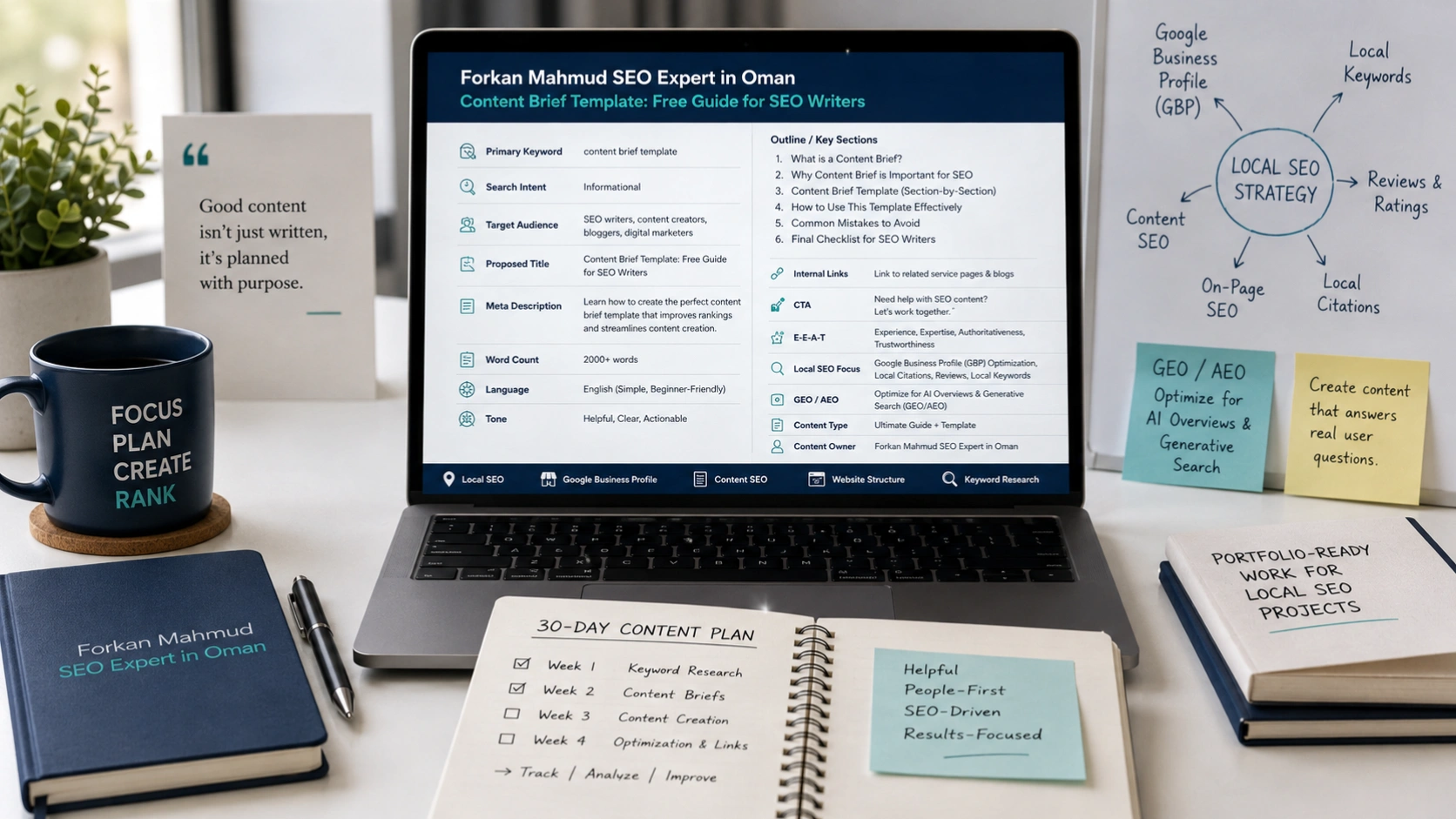
Free Content Brief Template You Can Copy Today
Copy the form below into Google Docs, Word, or Notion, then fill in one copy for each article. Every field carries a short instruction in brackets, so a new writer can follow it without a call.
CONTENT BRIEF

1. Working title: [Draft H1 with the primary keyword]
2. Goal: [One sentence: what should this page do for the reader and the business?]
3. Reader: [Job, skill level, and the problem they want solved]
4. Search intent: [Learn, compare, buy, or solve. Name the task the reader wants done]
5. Keywords: [One primary keyword in exact wording, plus 3 to 6 related phrases]
6. Outline: [H1, H2, and H3 headings with a one-line answer note under each. Add one line on what this page will NOT cover and which page covers it]
7. FAQs: [5 to 10 real questions, each with a note on the answer angle]
8. Sources: [Official or primary links to cite, plus claims to avoid without proof]
9. Links: [Internal and external URLs, the section for each, and an anchor idea]
10. Voice and rules: [Tone, reading level, spelling variant, words to avoid]
11. Visuals: [Images, tables, or charts to include]
12. Length and deadline: [Word range, due date, and review steps]
How Do You Get a Free Content Brief Download?
Select the form text, paste it into a blank document, and save the file under your own name. The form is plain text, so it works in any editor and needs no signup. If your team prefers spreadsheets, put the twelve field names in column A and use one column per brief.
What Content Brief Format Works for Most Writers?
A workable content brief format has twelve fields in four groups: purpose, search, structure, and rules. Each group answers a question the writer would otherwise ask by message.
Group |
Fields |
Question it answers |
|---|---|---|
Purpose |
Working title, goal, reader |
Why does this piece exist? |
Search |
Search intent, keywords |
What does the searcher want? |
Structure |
Outline, FAQs, sources, links, visuals |
What goes on the page? |
Rules |
Voice and rules, length and deadline |
How should the draft arrive? |
Keep every field short. Three fields deserve extra care: goal, reader, and sources.
A goal works best as one action sentence. An example is “help a shop owner pick a primary category.” A goal such as “rank for the keyword” tells the writer nothing about the reader. The reader field should name a job, a skill level, and a problem. The sources field should list links the writer may cite, plus claims the writer must not make without proof.
How Long Should a Brief for Writers Be?
One to two pages is enough for most blog posts. A longer document risks being skimmed, and a shorter one leaves gaps. This is a working guideline, not a rule. The right length is the one your writer actually reads before drafting.
How Do You Write a Brief for Writers Step by Step?
You write a brief in six steps: goal, reader, search results, outline, sources, and rules. Work through them in order, because each step feeds the next.
- Set the goal and the reader. Write one sentence for each. If you cannot, the topic is not ready for a writer.
- Check the search results. Search the primary keyword and note the page types that appear, such as guides, lists, or tools. Match the format readers already expect, then decide what your page adds.
- Collect keywords and questions. Use autocomplete, related searches, and People Also Ask boxes. Group them by intent instead of listing every variation.
- Draft the outline. Add one answer note under each heading, then one line on what the page will not cover.
- Add sources and links. List official or primary pages for facts, and pick internal pages to link.
- State the rules. Give the tone, reading level, spelling variant, word range, and review steps.
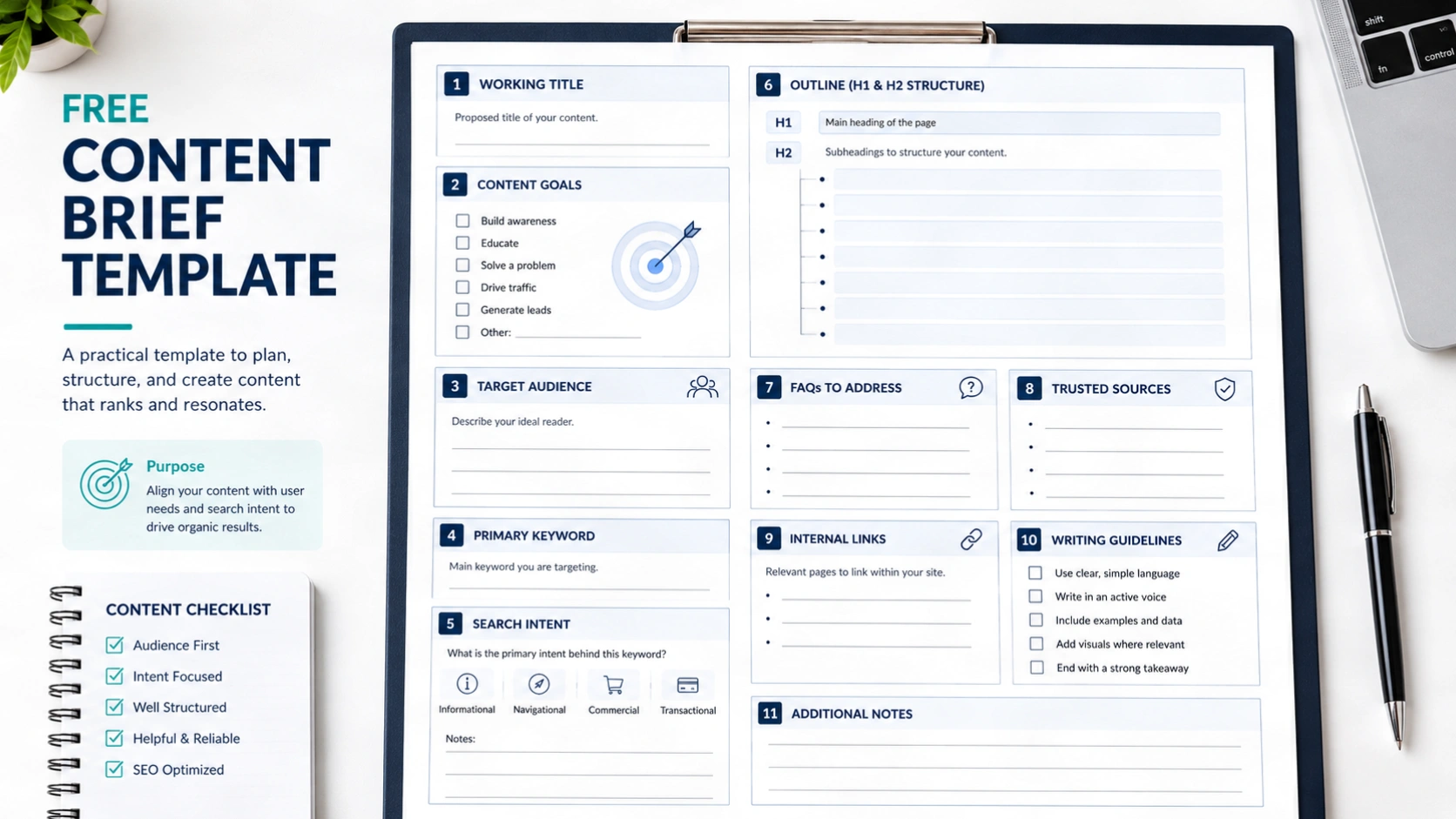
Brief Sections: How Do You Plan the H1, H2, and FAQ Headings?
Plan the H1 first, then the H2 headings that answer the main questions, then the FAQ list for smaller questions. This order keeps the page on one topic before it covers side questions.
What Should the H1 in the Brief Say?
The H1 should name the topic in plain words and include the primary keyword once. Each page needs exactly one H1. It can give a working H1 and let the editor refine it after the draft.
How Many H2 Headings Does a Brief Need?
A useful rule of thumb is one H2 for every 250 to 400 words of body copy. Mix question headings with statement headings, and let the topic decide the balance. Add an answer note under each H2 so the writer opens every section with the answer.
How Do You Choose FAQs for a Brief?
Choose FAQs from real questions: People Also Ask boxes, related searches, and customer emails. Keep a question only if it adds something the H2 sections do not already answer. People Also Ask boxes change by location, language, and time, so write down the date you checked.
SEO Content Brief Template: What to Add for Search
An SEO content brief template adds three fields to the standard form: SERP notes, entities and subtopics, and link targets. The twelve fields above already hold keywords and intent. These three add the search context.
SERP notes record what the top results cover, which formats they use, and what they leave out. Write down the date, country, and language of the search. Do not copy a competitor’s headings. Use the notes to find gaps your page can fill.
Entities and subtopics are the people, tools, terms, and steps that belong in the article. For this topic they include the writer, the editor, the primary keyword, search intent, the SERP, and internal links. Listing them helps the writer cover the topic as one connected whole.
Link targets tie the brief to site structure. In my work with topical maps and content briefs, the brief is where site structure becomes page-level instructions. If your site has a topical map, copy the parent page and sibling pages into the link field. The writer can then link to related pages by name.
Should a Brief Set a Keyword Density Target?
No, a brief should not set a keyword density target. Google’s documentation gives no such number, and its guidance says SEO “can be a helpful activity when it is applied to people-first content”. Tell writers to use the primary keyword where it reads naturally and to write for the reader first.
Content Brief Example: What Does a Filled-In Brief Look Like?
A filled-in brief reads like a short work order, and each field holds one decision the writer can act on. The sample below covers a blog post about Google Business Profile categories. It is an illustration made for this guide, not a real client brief.
CONTENT BRIEF (SAMPLE)

1. Working title: How to Choose Google Business Profile Categories
2. Goal: Help a local shop owner pick one primary category and a few secondary ones without guessing.
3. Reader: Small business owner, new to local SEO, no paid tools.
4. Search intent: Learn how. The reader wants steps, not theory.
5. Keywords: Primary: google business profile categories. Related: primary category, secondary categories, change business category.
6. Outline:
   H1 How to Choose Google Business Profile Categories
   H2 What are Google Business Profile categories? (answer in one sentence)
   H2 How do you pick a primary category? (steps)
   H2 How do you check which categories other businesses use? (method)
   H2 What category mistakes should you avoid? (short list)
   Leave out: reviews and photos. Link to the separate page for each.
7. FAQs: 6 questions from People Also Ask and related searches, checked on a stated date.
8. Sources: Google Business Profile Help pages. No claims about ranking gains.
9. Links: Link to the site's Google Business Profile service page from the closing section. Anchor idea: "Google Business Profile optimization".
10. Voice and rules: Plain English, US spelling, simple sentences, explain every term once.
11. Visuals: One screenshot of the category picker and one comparison table.
12. Length and deadline: 1,800 to 2,200 words. Draft in five days, editor review in two.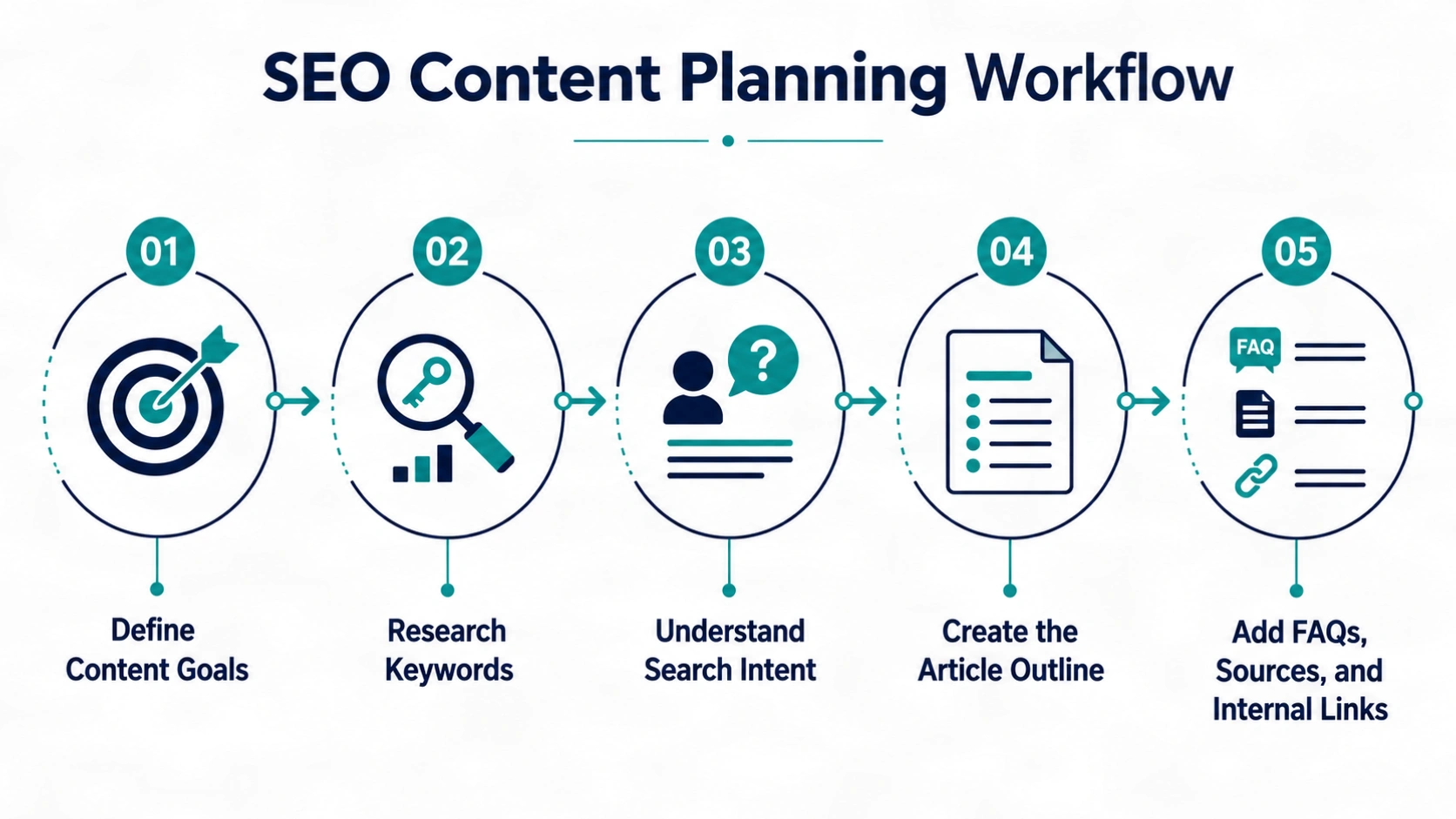
Why Does the Sample Say What to Leave Out?
The “leave out” line keeps the page focused and stops it from overlapping another page on the same site. In the sample, reviews and photos belong on separate pages, so the writer links to them instead of covering them. Two pages that answer the same question can compete with each other, and a scope note helps prevent that.
Do You Need a Content Brief When You Use AI?
Yes, because an AI drafting tool needs the same direction as a human writer: goal, reader, sources, and rules. Google says it focuses on content quality, not on how content is produced. A brief helps whichever way the draft is made (Google Search Central, 2023).
Research from the Content Marketing Institute shows why direction matters. Its B2B survey of more than 1,000 marketers was released on October 8, 2025. It found that 9 in 10 use AI to produce content, yet fewer than 4 in 10 say it improved performance (Content Marketing Institute, 2025). The same release reports that 45% planned to raise spending on AI tools, while only 9% planned to raise spending on salaries, training, and development. It also reports that 96% say their organization creates thought leadership, though in many companies fewer than 5% of employees contribute.
Stephanie Stahl of the Content Marketing Institute said effectiveness is “less about the tools and more about what teams do with them.”
My reading is that a brief is a low-cost place to record that human judgment. It can also hold an expert’s notes, so a busy specialist can contribute without writing a full draft. The survey reports what marketers say, and it does not prove that briefs improve results.
What Mistakes Weaken a Content Brief?
Four mistakes weaken most briefs: vague goals, copied competitor outlines, keyword quotas, and briefs that nobody updates.
- Vague goals leave the writer guessing which reader to serve.
- Copied outlines produce a page that adds nothing new to the search results.
- Keyword quotas push writers toward awkward sentences.
- Stale briefs repeat old advice. Review each brief after publishing and note what to change next time.
What Does This Guide Not Claim?
This guide does not claim that any brief guarantees rankings, traffic, or sales. A brief improves clarity and reduces guesswork. Results still depend on competition, site quality, topic, and many other factors. The form reflects fields common to published templates and standard SEO practice, so adjust it to your team and niche.
Conclusion
A content brief template gives a writer the goal, reader, search intent, structure, sources, and rules before the first sentence. Start with the twelve-field form, add SERP notes, entities, and link targets for search work, and keep each brief to one or two pages. Review each copy after publishing so the next one improves. If you would rather have a team handle briefs and drafts, see the SEO content writing service.
Frequently Asked Questions
What is a content brief?
A content brief is a short document that tells a writer what to create and why. It lists the goal, reader, keyword, outline, sources, and style rules for one piece of content. Editors and SEO specialists write it before drafting so the writer starts with clear direction instead of guesses.
What should a content brief include?
A content brief should include the goal, reader, search intent, keywords, outline, FAQs, sources, links, voice rules, visuals, and length. Those twelve items cover what a writer needs to draft without follow-up questions. For SEO work, add SERP notes, entities, and link targets so the writer sees the search context.
How long should a content brief be?
Most blog briefs fit on one to two pages. That is long enough to hold the outline, sources, and rules, and short enough that a writer reads all of it. Complex pieces such as pillar guides may need more, but add detail only when it changes what the writer does.
Who should write a content brief?
The editor, content lead, or SEO specialist usually writes it, because they own the search research and the angle. Input from a subject expert, a designer, and the writer also helps. On small teams, the site owner can write the brief and ask the writer to check it for gaps.
What is the difference between a content brief and a content outline?
A content brief covers the whole job, while an outline covers only the heading structure. The brief adds the goal, reader, keywords, sources, links, and writing rules. The outline sits inside the brief as one field, and the brief explains why those headings were chosen.
How do you write a content brief for SEO?
Start with the goal and reader, then check the search results for the primary keyword and note page types, gaps, and questions. Add related keywords, an outline, FAQs, sources, and link targets. Tell the writer to use keywords naturally and to answer each heading in its first sentence.
What is a good content brief example?
A good example is short, specific, and built from decisions. It names one reader, one primary keyword, and a heading list with answer notes, then lists sources, links, and what to leave out. The sample earlier in this guide, for Google Business Profile categories, shows every field filled in.
Can you use a content brief for AI-written drafts?
Yes, a brief works for AI drafts as well as human drafts. It gives the tool the same goal, reader, sources, and rules, and it gives the editor a standard for review. A human editor should still check facts, add first-hand detail, and cut anything that does not serve the reader.
How often should you update a content brief?
Update the brief after each published piece, and again when the topic, search results, or site structure change. Record what you learned, such as questions the draft missed or sources that proved useful. The blank form changes rarely, but each filled copy should match current search results.
Where can I get a free content brief download?
Copy the form from this guide into Google Docs, Word, or Notion and save it as your own file. It is plain text, so no signup or plugin is required. You can also use a spreadsheet with one column per brief if your team tracks content there.